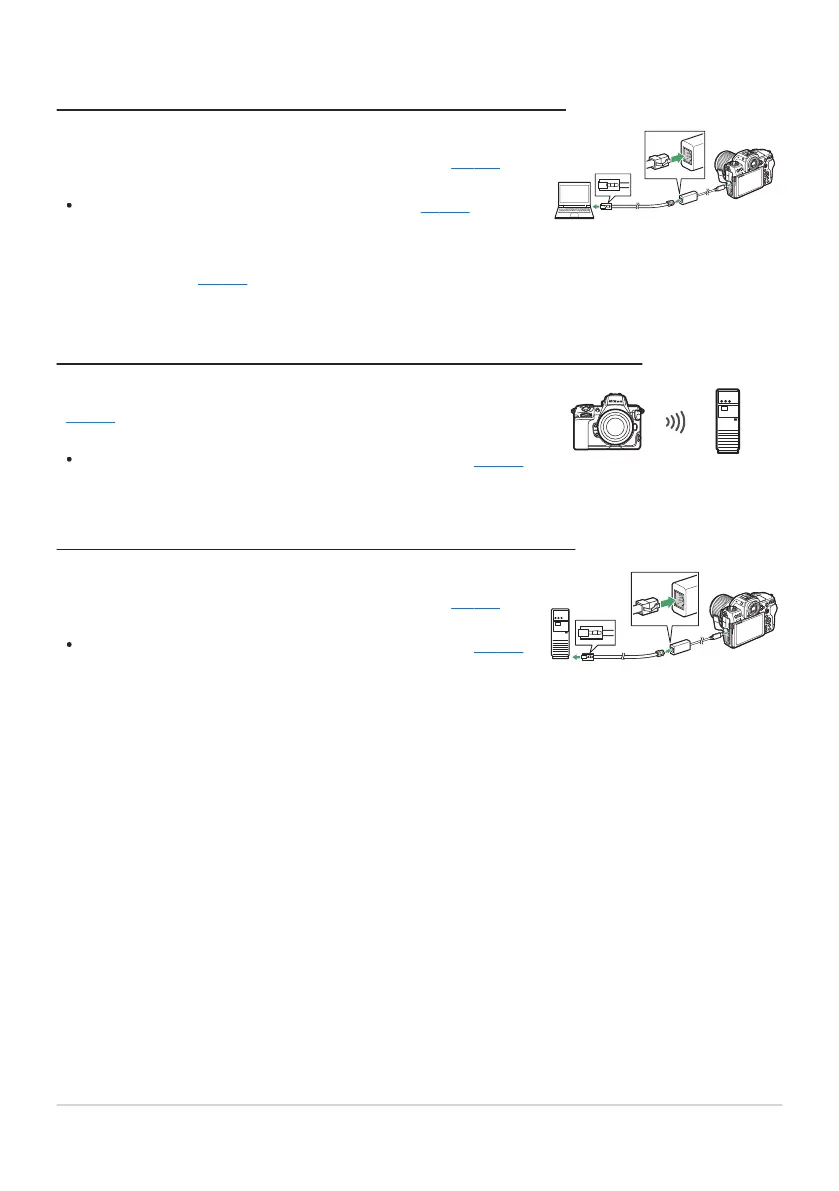
Connect to computers via a third-party USB-to-Ethernet adapter
connected t
o the camera’s Type C USB data connector (
0 328).
The connection can be used to uplo
ad pictures (
0 359) or to
contr
ol the camera remotely from computers on the network
running Camera Control Pro2 (available separately) or free NX
Tether software (
0 365).
Connect to FTP servers using the camera’s built-in wireless LAN
(0 335).
The connection can be used to uplo
ad pictures via FTP (
0 359).
Connect to FTP servers via a third-party USB-to-Ethernet adapter
connected t
o the camera’s Type C USB data connector (
0 351).
The connection can be used to uplo
ad pictures via FTP (
0 359).
Computers: Connecting via Ethernet
FTP Servers: Connecting via Wireless LAN
FTP Servers: Connecting via Ethernet
309
Making the Connection



 To Next Page