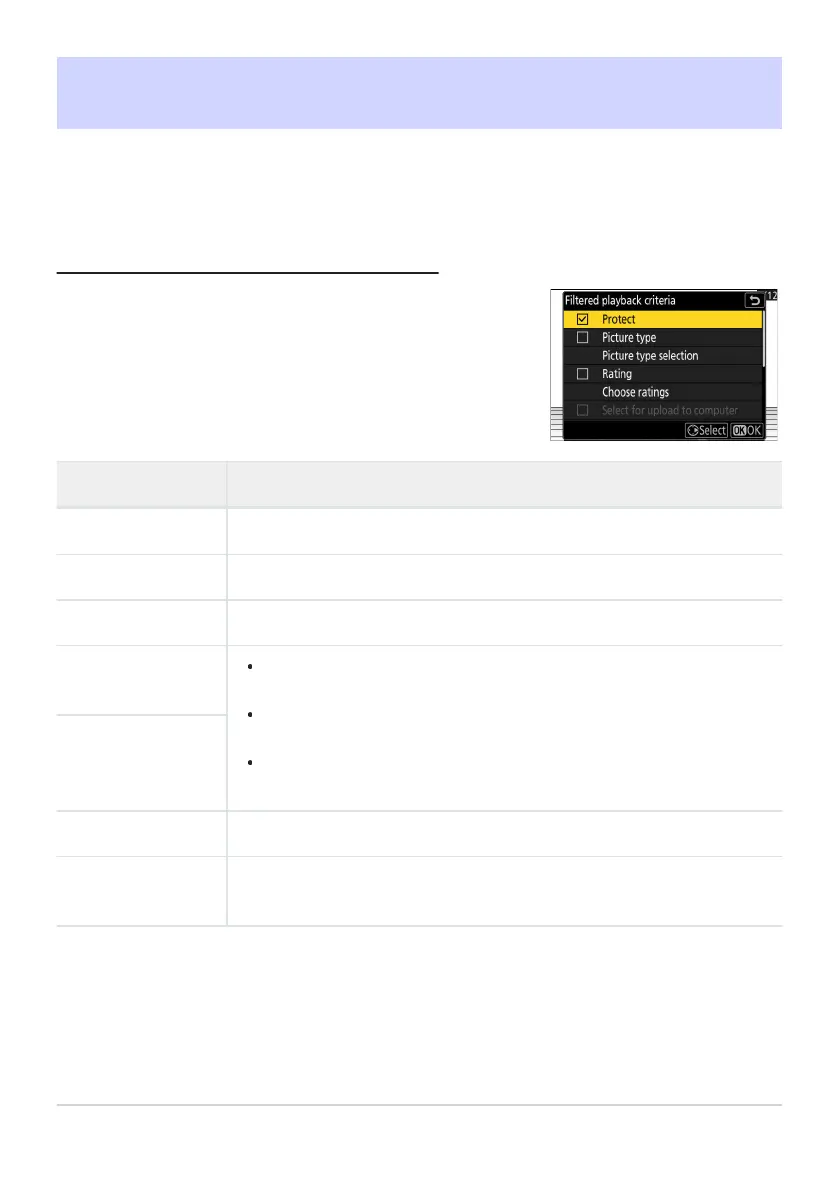
Highlight options and press J to select (M) or deselect (U). During
filtered playback, only pictures that meet all criteria marked with a
check (M) will be displayed.
Filtered Playback
Select [Filter
ed playback] in the i menu to view only pictures that meet the criteria chosen for
[Filtered playback criteria] in the playback menu or playback i menu.
“Filtered Playback Criteria”
Option Description
[Pr
otect]
M
: Include prot
ected pictures.
[Picture type]
M
: Include pictures o
f the selected types.
[Rating]
M: Include pictures with select
ed ratings.
[Select for upload
to computer]
Select (M) [Uploaded pictur
es] to include pictures previously uploaded
to a computer or FTP server.
Select (M) [Pictures not uploaded] to include pictures that have yet to
be uploaded.
Select (M) both options to include both pictures that have and pictures
that have yet to be uploaded.
[Select for upload
(F
TP)]
[V
oice memo]
M
: Include pictures with v
oice memos.
[Retouched
pictures]
M: Include ret
ouched pictures.
239
Filtered Playback



 To Next Page