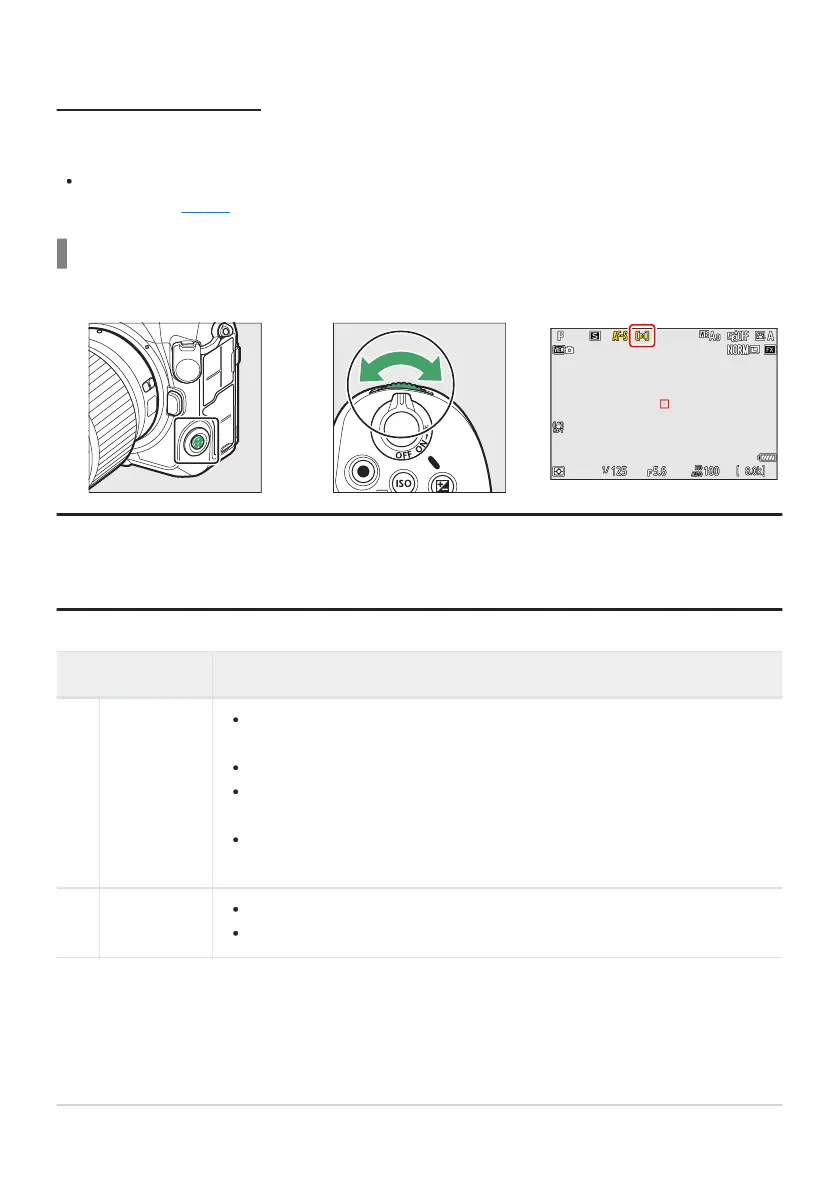
AF-Area Mode
Choose how the camera selects the focus point for auto
focus.
In modes other than [Auto-area AF], the focus point can be positioned using the sub-selector or
multi selector (
0 114) .
Choosing an AF-Area Mode
T
o choose the AF-area mode, hold the focus-mode button and rotate the sub-command dial.
Tip: “AF-Area Mode”
The AF-area mode can also be selected using the [AF-area mode] items in the photo shooting and
video recording menus.
Option Description
3
[Pinpoint
AF]
With a focus point smaller than that employed for single-point AF,
pinpoint AF is used for pinpoint focus on a selected spot in the frame.
Focusing may be slow
er than with single-point AF.
Recommended for shots involving static subjects, such as buildings, in-
studio product photography, or close-ups.
This option is only available when photo mode is selected and [Single AF]
is chosen for focus mode.
d
[Single-
point AF]
The camera focuses on a point selected by the user.
Use with stationary subjects.
107
Focus



 To Next Page