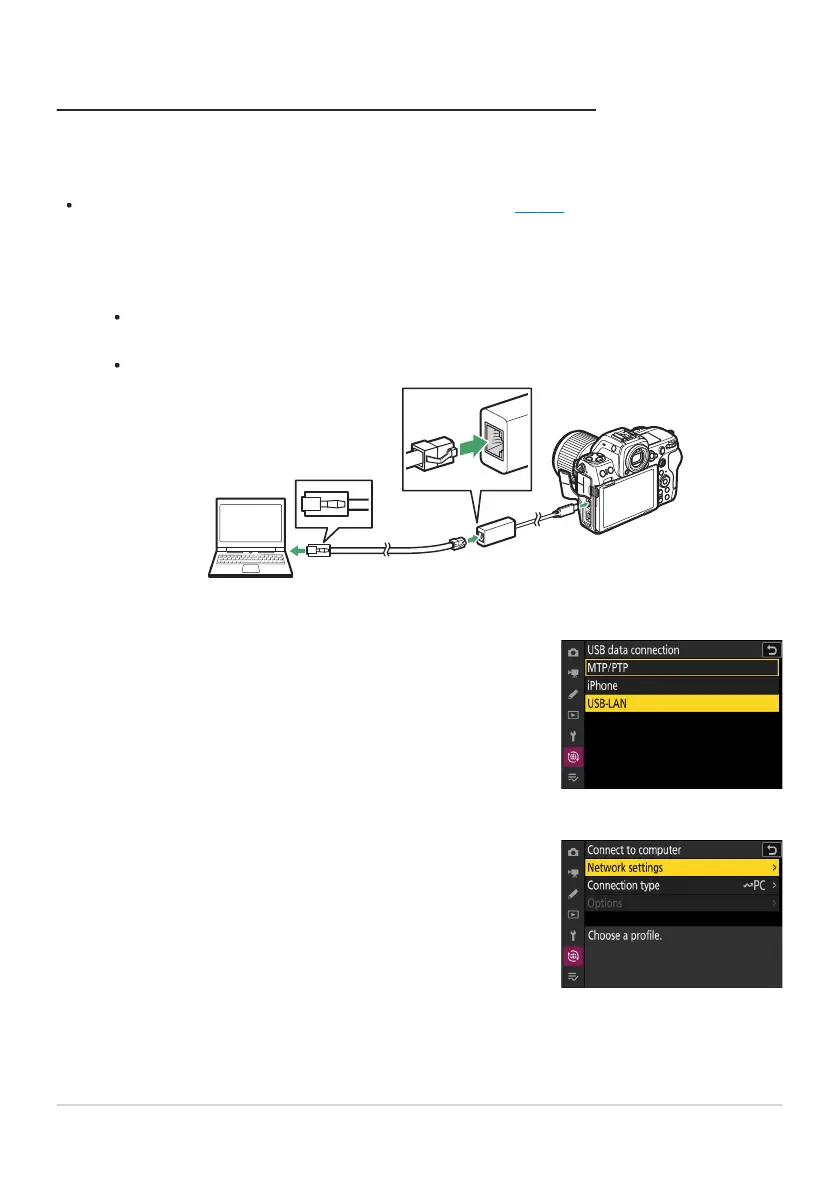
Select [USB-LAN] for [USB data connection] in the network
menu.
Select [Connect to computer] in the network menu, then
highlight [Network settings] and press 2.
Connecting to Computers via Ethernet
Connect to comput
ers via a third-party USB (Type C) to Ethernet adapter connected to the camera’s
USB data connector.
Before proceeding, check that the Wireless Transmitter Utility (
0 328) is installed on the computer
.
Attach a third-party USB-to-Ethernet adapter to the camera’s USB data connector and
then connect to the computer using an Ethernet cable.
Connect the Ethernet cable to the USB-to-Ethernet adapter. Do not use force or attempt to
insert the connectors at an angle.
Connect the other end of the cable to a computer or router.
329
Computers: Connecting via Ethernet
1
2
3



 To Next Page