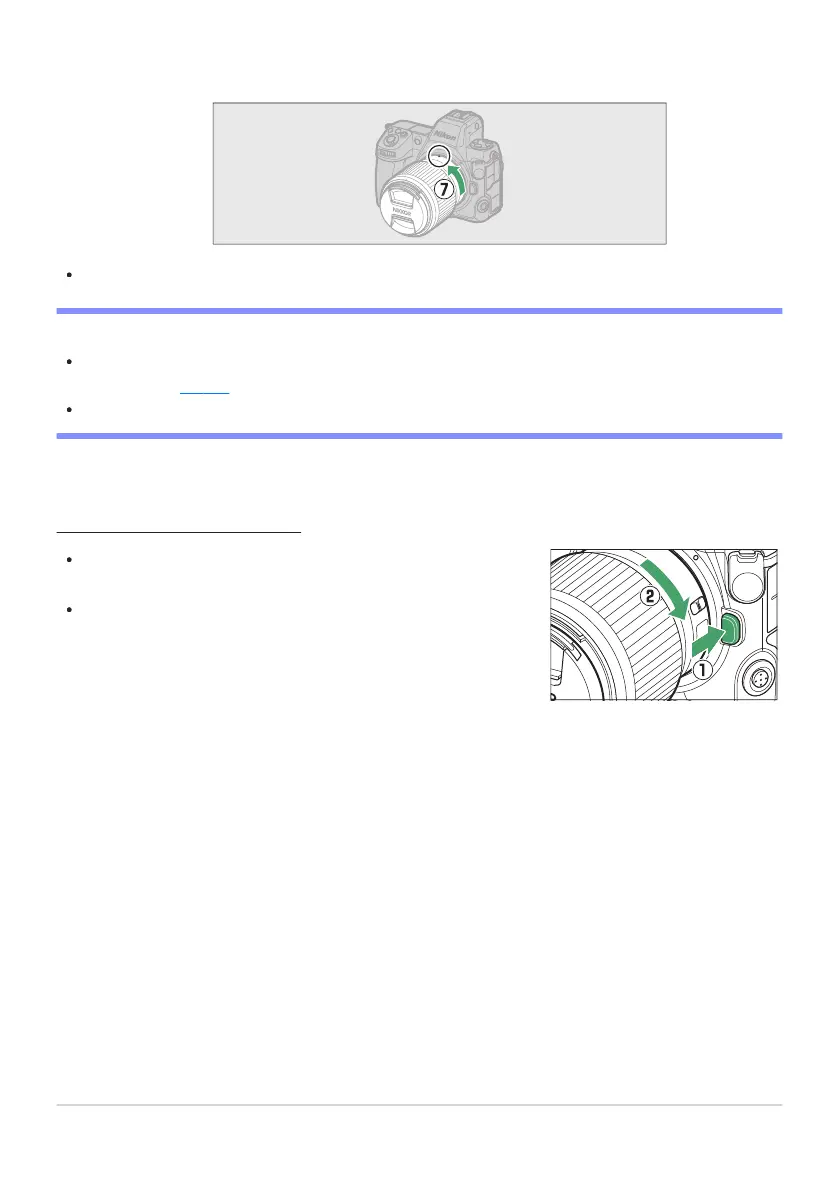
After turning the camera off, press and hold the lens release
button (q
) while turning the lens in the direction shown (w).
After removing the lens, reattach the lens caps and camera body
cap.
Rotate the lens as shown until it clicks into place (u).
Remove the front lens cap before taking pictures.
D F Mount Lenses
Be sure t
o attach an FTZII or FTZ mount adapter (available separately) to the camera before using F
mount lenses (
0 865).
Att
empting to attach F mount lenses directly to the camera could damage the lens or image sensor.
Detaching Lenses
86
Attaching a Lens
-



 To Next Page