En_02
31Inserting Memory Cards
Inserting Memory Cards
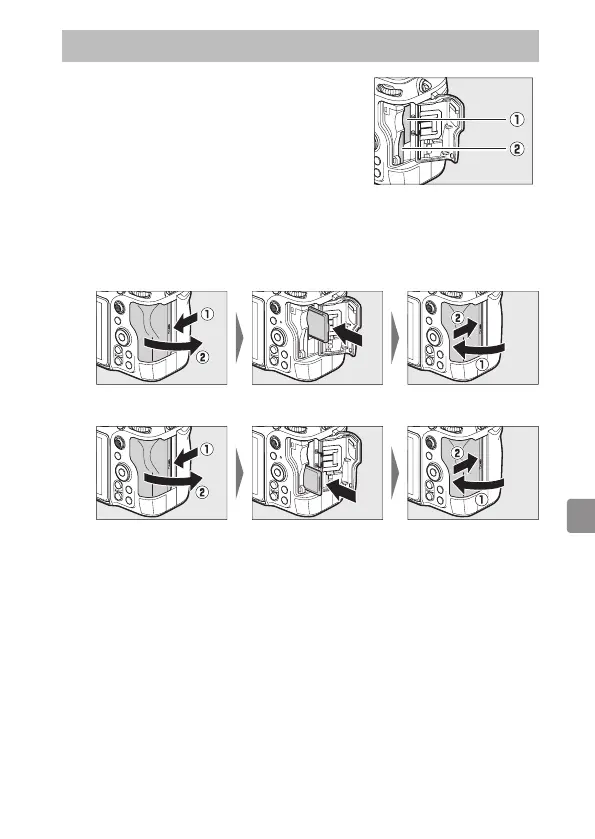
The camera is equipped with two memory
card slots: a slot that takes one CFexpress or
XQD memory card (q) and another that takes
one SD memory card (w), for a total of two
cards, one of each type.
• Turn the camera off before inserting or removing memory cards.
• Holding the memory card in the orientation shown, slide it straight
into the slot until it clicks into place.
- CFexpress and XQD memory cards:
- SD memory cards:
• If this is the first time the card will be used in the camera, format it
using [Format memory card] in the setup menu.



 To Next Page