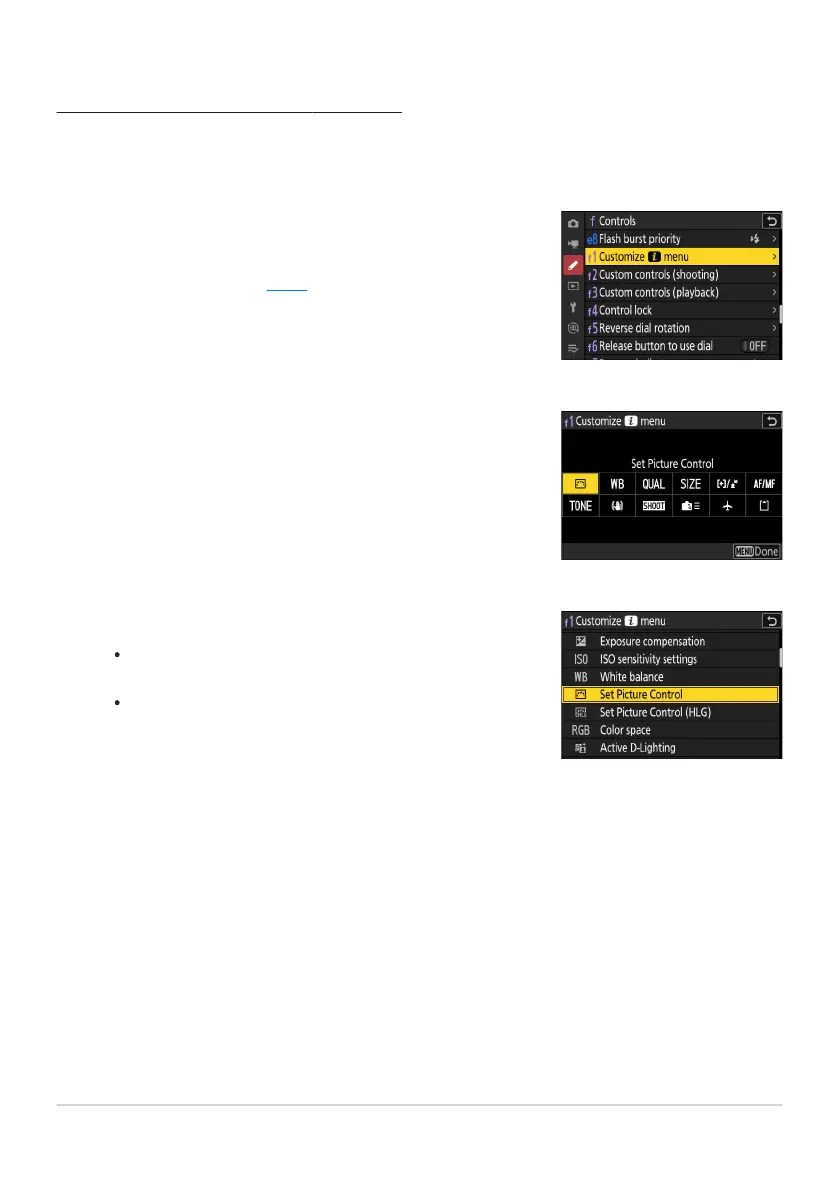
Highlight Custom Setting f1 or g1 [Customize i menu]
and press J.
See “The G Button” (0 62) for information on using the
menus.
Highlight the position you want to change and press J.
A list o
f the it
ems available for the selected position will be
displayed.
Highlight the desired item and press J.
The it
em will be assigned t
o the selected position and the
options shown in Step 2 will be displayed.
Repeat Steps2 and 3 as desired.
Customizing the i Menu
The items display
ed in the i menu during shooting can be chosen using Custom Setting f1 or g1
[Customize i menu].
Press the G button.
Changes will be saved and the Custom Settings menu will be displayed.
73
The i Button (i Menu)
1
2
3
4



 To Next Page