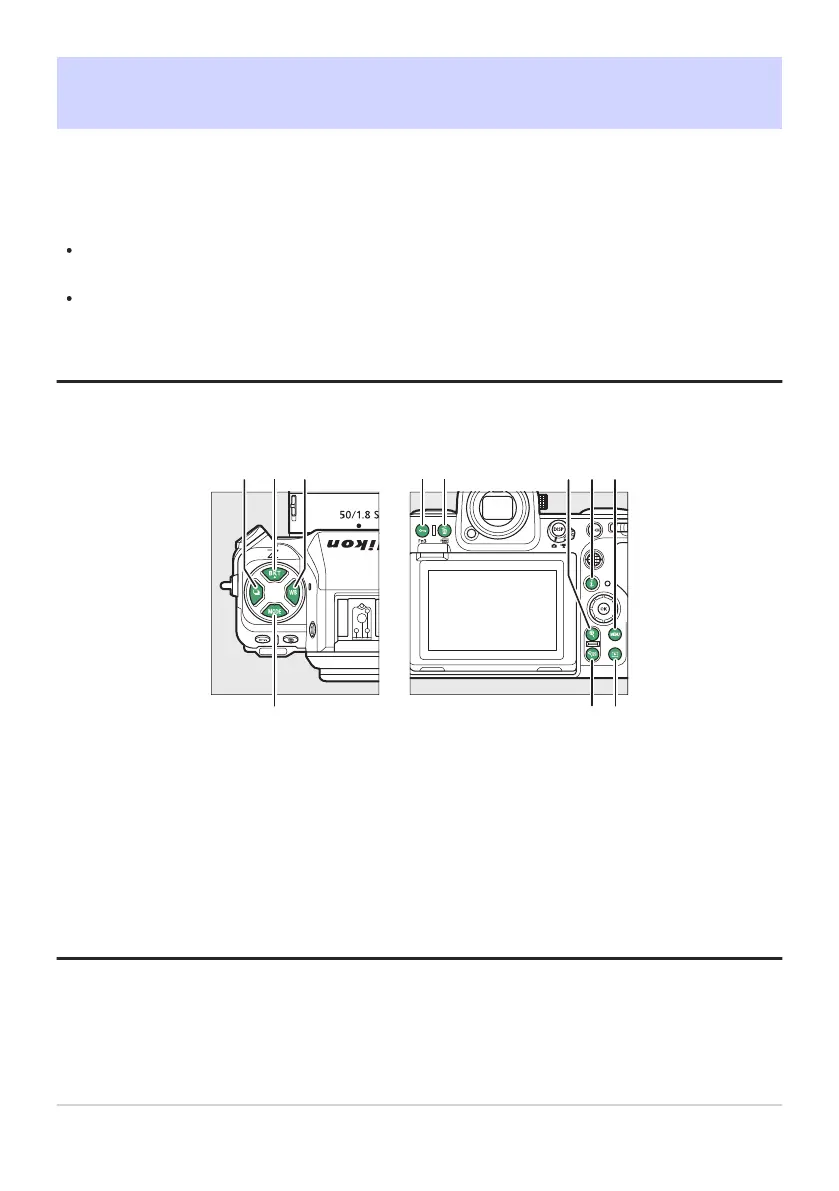
Release mode button (c)
BKT button (D
)
WB button (U)
MODE button (I)
Protect button (g)
Fn3 button (l)
Delete button (O)
FORMAT button (Q)
1
2
3
4
5
6
Playback zoom in button (X)
“i” butt
on (i)
MENU button (G)
Playback button (K)
Playback zoom out/thumbnails button
(W)
Help button (Q)
7
8
9
10
11
d11: LCD Illumination
G butt
onU
ACustom Settings menu
Choose when the control panel and button backlights light.
If [OFF] is selected, the backlights will light when the power switch is rotated to D. The backlights
turn off when the shutter-release button is pressed.
If [ON] is selected, the backlights will light while the standby timer is active. Note that this increases
the drain on the battery. The backlights will turn off while the shutter-release button is pressed, but
will turn on again when the button is released.
Tip: Button Backlights
The following are equipped with backlights:
599
d11: LCD Illumination



 To Next Page