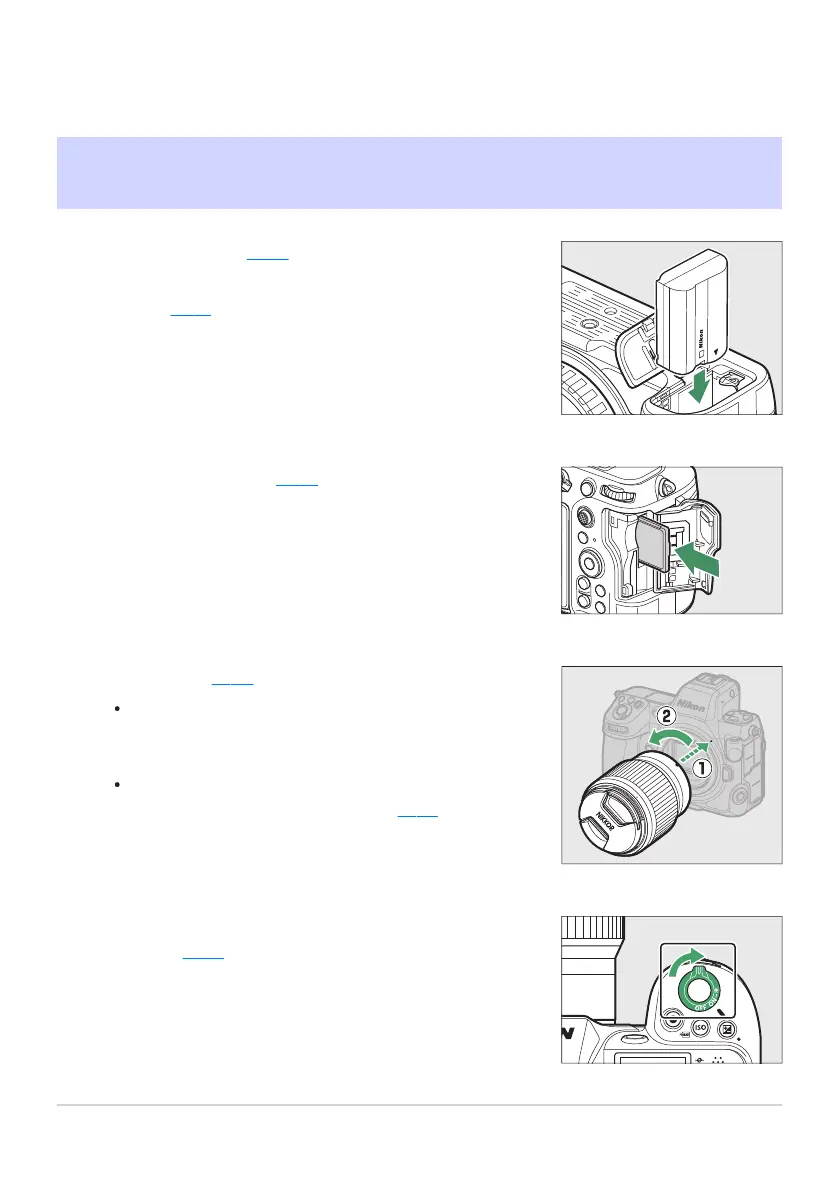
Insert the battery (0 80).
For information on char
ging the battery, see “Charging the
Battery” (
0 75).
Insert a memory card (0 82).
Attach a lens (0 85).
Align the mounting mark on the lens with the mat
ching
mark on the camera body (q
) and rotate the lens in the
direction shown (w).
A strap can be attached to the camera. For more
information, see “Attaching the Strap” (
0 74).
Turn the camera on and then choose a language and set
the clock (0 87).
When Your First Photo Can’t Wait
Getting Ready
23
Getting R
eady
1
2
3
4



 To Next Page