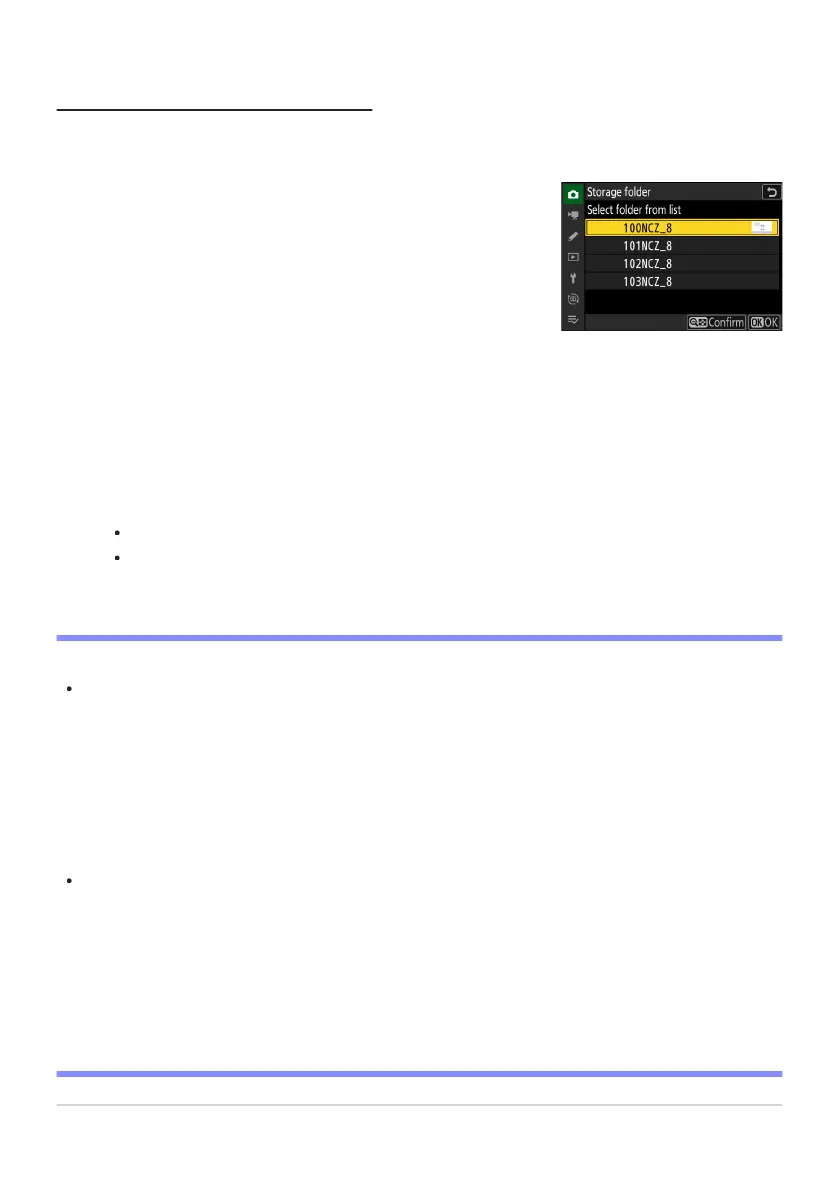
Choose [Select folder from list].
Highlight [Select folder from list] and pr
ess 2 to display the
[Select folder from list] dialog.
Select Folder from List
To choose fr
om a list of existing folders:
Highlight a folder.
Press 1 or 3 to highlight a folder.
Select the highlighted folder.
Press J to select the highlighted folder and return to the main menu.
Subsequent photographs will be stored in the selected folder.
D Cautions: Folder and File Numbers
When the current folder number reaches 999, the camera will no longer be able to create new
folders and the shutter release will be disabled if:
the current folder contains 5000 pictures (in addition, video recording will be disabled if the
camera calculates that the number of files needed to record a video of the maximum length
would result in the folder containing over 5000 files), or
the current folder contains a picture numbered 9999 (in addition, video recording will be
disabled if the camera calculates that the number of files needed to record a video of the
maximum length would result in a file numbered over 9999).
If there is space on the memory card, you will nevertheless be able to continue shooting by:
creating a folder with a number less than 999 and selecting it as the storage folder, or
changing the options selected for [Frame size/frame rate] or [Video file type] before recording
videos.
D Startup Time
Additional time may be required for camera startup if the memory card contains a very large number
of files or folders.
426
Storage Folder
1
2
3
-
-
-
-



 To Next Page