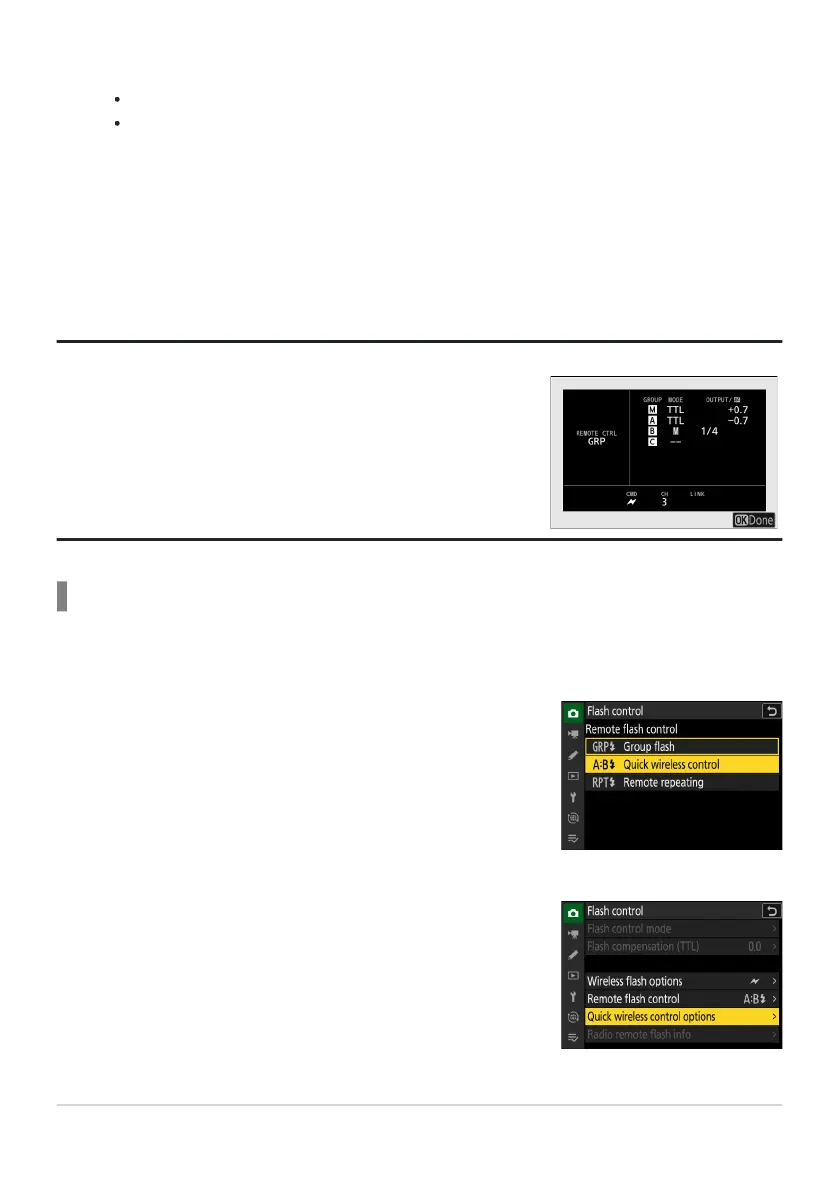
Group flash options can be viewed using the [Flash info] item in
the
i menu, which can be added to the menu using Custom Setting
f1 [Customize i menu].
C: Select [Quick wireless contr
ol] for [Flash control]>
[Remote flash control].
C: Highlight [Quick wir
eless control options] in the [Flash
control] display and press 2.
C/f: Compose the shot and arrange the flash units.
See the documentation provided with the flash units for more information.
Test-fire the units and confirm that they are functioning normally. To test-fire the units, use
the [Test flash] item in the i menu, which can be added to the menu using Custom Setting
f1 [Customize i menu].
C/f: Take the photograph after confirming that the flash-ready lights for all flash units
are lit.
Tip: Flash Info
Quick Wireless Control (SB‑5000 Only)
Select this item to control the relative balance between the remote flash units in groups A and B and
adjust flash output for group C. Output for group C is adjusted manually.
413
Optical AWL
6
7
1
2



 To Next Page