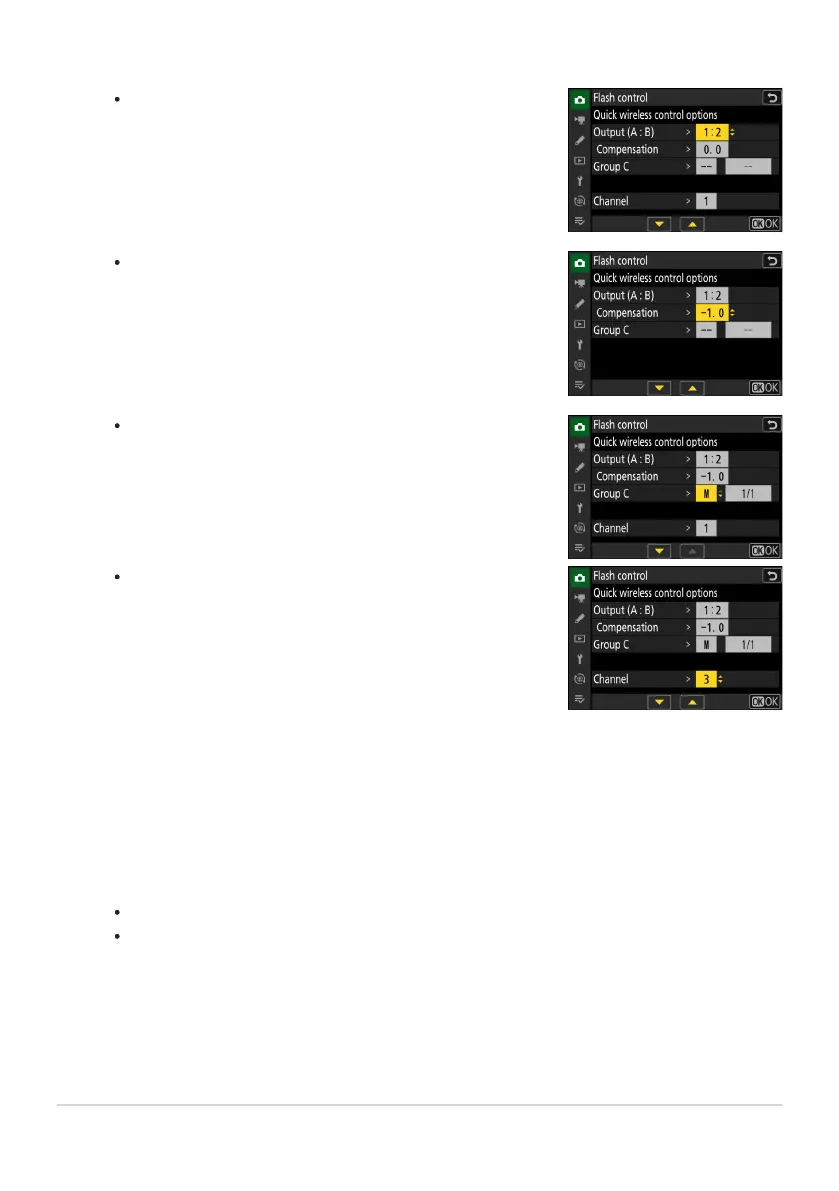
Choose the balance between groups A and B.
Adjust flash compensation for groups A and B.
Adjust settings for group C:
Select [M] to enable or [– –
] to disable the units in group
C.
When [M] is selected, the units in group C will fire at the
chosen output.
-
-
Choose the channel.
For [Channel], choose the channel (1–4) the master flash
will use for optical r
emote flash control.
If the remote flash units include an SB‑500, you must
choose Channel [3].
-
-
C: Adjust quick wireless contr
ol settings.
f: Choose a channel for the remote flash units.
Set the remote flash units to the channel selected for [Channel] in Step 3.
f: Group the remote flash units.
Choose a group (A, B, or C).
There is no limit on the number of remote flash units that may be used. The practical
maximum, however, is three per group, as the light emitted by the remote flash units will
interfere with performance if more flash units are used.
414
Optical AWL
3
4
5



 To Next Page