En_02
34 Attaching a Lens
Attaching a Lens
• The camera can be used with Z mount lenses. For more information
on lenses, see the lens documentation available from the Nikon
Download Center.
• The lens generally used in this document for illustrative purposes is a
NIKKOR Z 50 mm f/1.8 S.
• Be careful to prevent dust entering the camera.
• Confirm that the camera is off before attaching the lens.
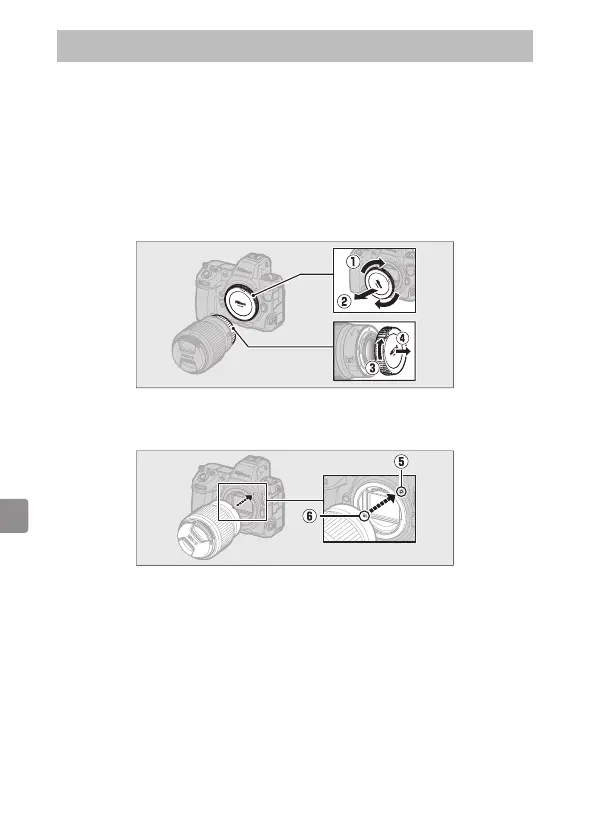
- Remove the camera body cap (q, w) and rear lens cap (e, r).
- Align the mounting marks on the camera (t) and lens (y). Do not
touch the image sensor or lens contacts.



 To Next Page