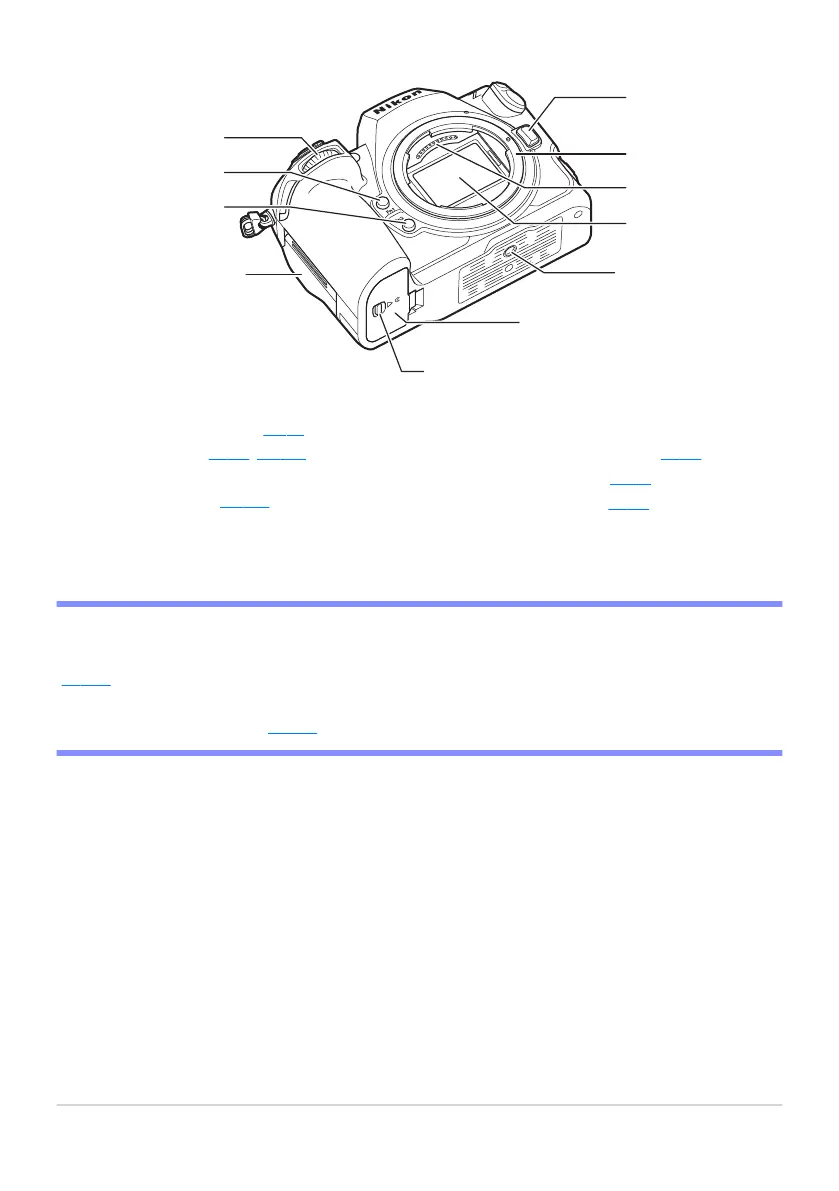
Lens release button (0 86)
Lens mount (0 85, 0 120)
CPU contacts
Image sensor (0 895)
Tripod sock
et
Battery chamber cover
1
2
3
4
5
6
Battery chamber cover latch
Memory card slot cover (
0 82)
Fn2 button (k
;
0 61)
Fn1 button (
j;
0 61)
Sub-command dial
7
8
9
10
11
D Do Not Touch the Image Sensor or Sensor Shield
Under no cir
cumstances should you poke or exert pressure on the image sensor or sensor shield
(
0 728) or subject them to pow
erful air currents from a blower. Failure to observe this precaution
could scratch or otherwise damage the sensor or shield. For information on cleaning the image sensor,
see “Image Sensor Cleaning” (
0 895).
39
Camera Body



 To Next Page