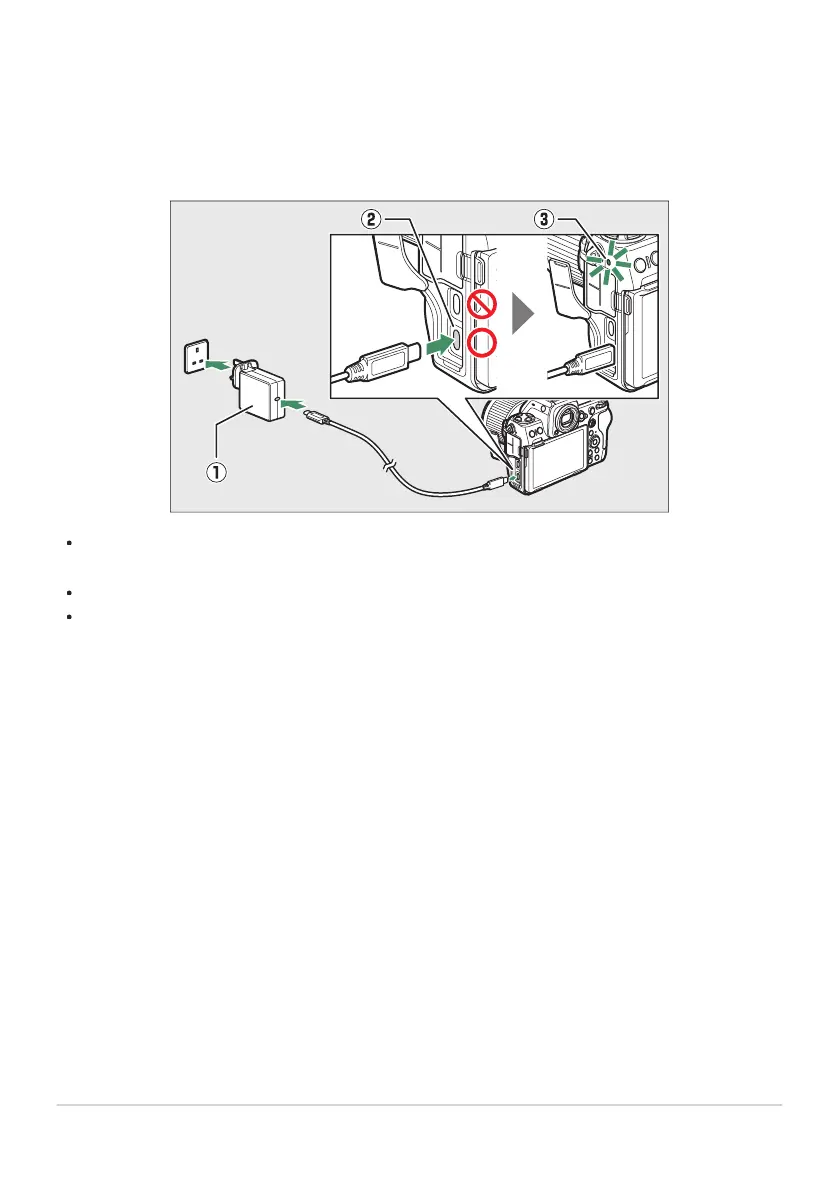
Using the EH‑8P AC Adapter
Connect an optional UC‑E25 USB cable (featuring Type C connect
ors at both ends) to the EH‑8P AC
adapter (q). After confirming that the camera is off, connect the other end of the cable to the camera’s
USB Power Delivery connector (w) and plug the adapter in. The battery will charge while the camera is
off. Keep the plug straight during insertion and removal.
The camera charge lamp (e) lights amber while charging is in pr
ogress. The lamp turns off when
charging is complete.
The battery will also charge when the camera is on, provided that the standby timer is off.
The shape of the plug varies with the country or region of purchase.
78
Charging the Battery



 To Next Page