D Exposure Indicat
ors
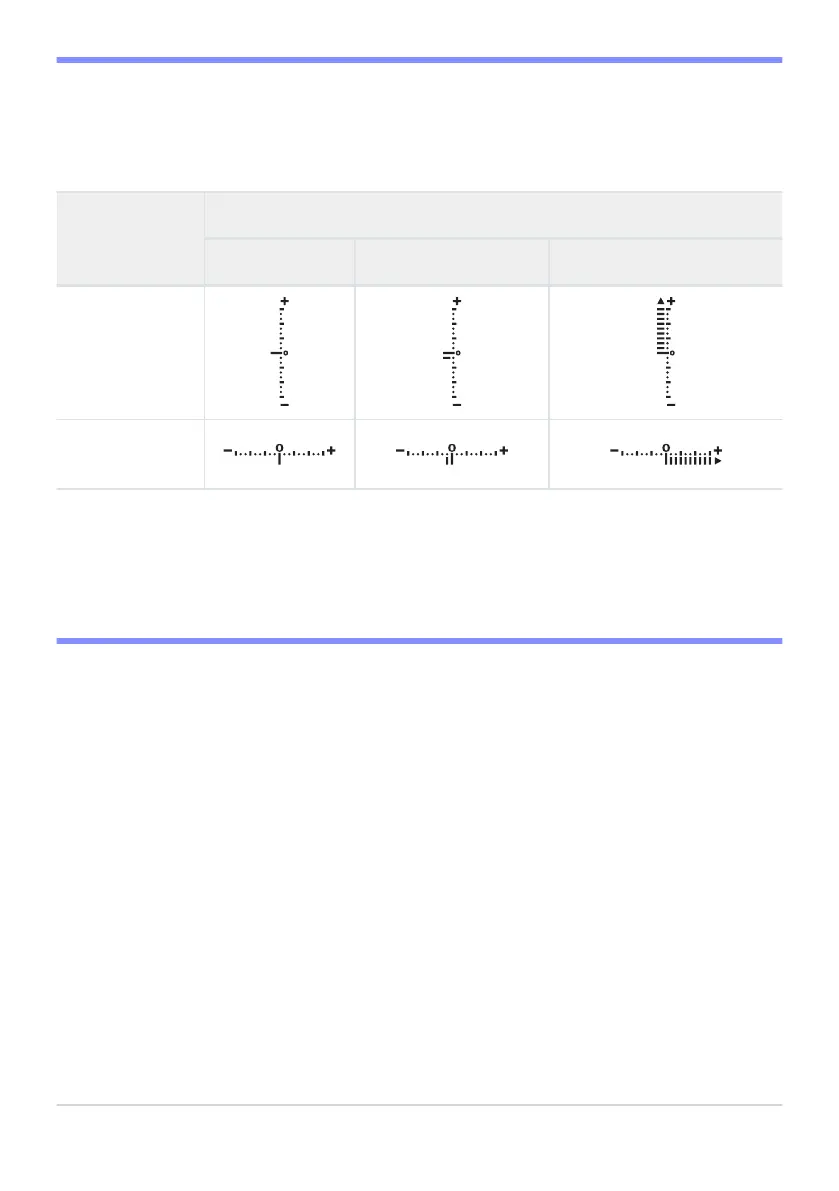
The exposure indicators in the monitor, viewfinder, and control panel show whether the photograph
would be under- or over-exposed at current settings. The exposure indicators can be read as follows
(the display varies with the option selected for Custom Setting b2 [EV steps for exposure cntrl]):
Display
[1/3 step] selected for [EV steps for exposure cntrl]
Optimal exposure Underexposed by
1
/
3
EV Overexposed by over 3
1
/
3
EV
Monitor
Viewfinder/
control p
anel
The orientation of the exposure indicators can be reversed using Custom Setting f7 [Rev
erse
indicators].
D Exposure Warning
The displays will flash if the selected settings exceed the limits of the exposure metering system.
124
Exposure



 To Next Page