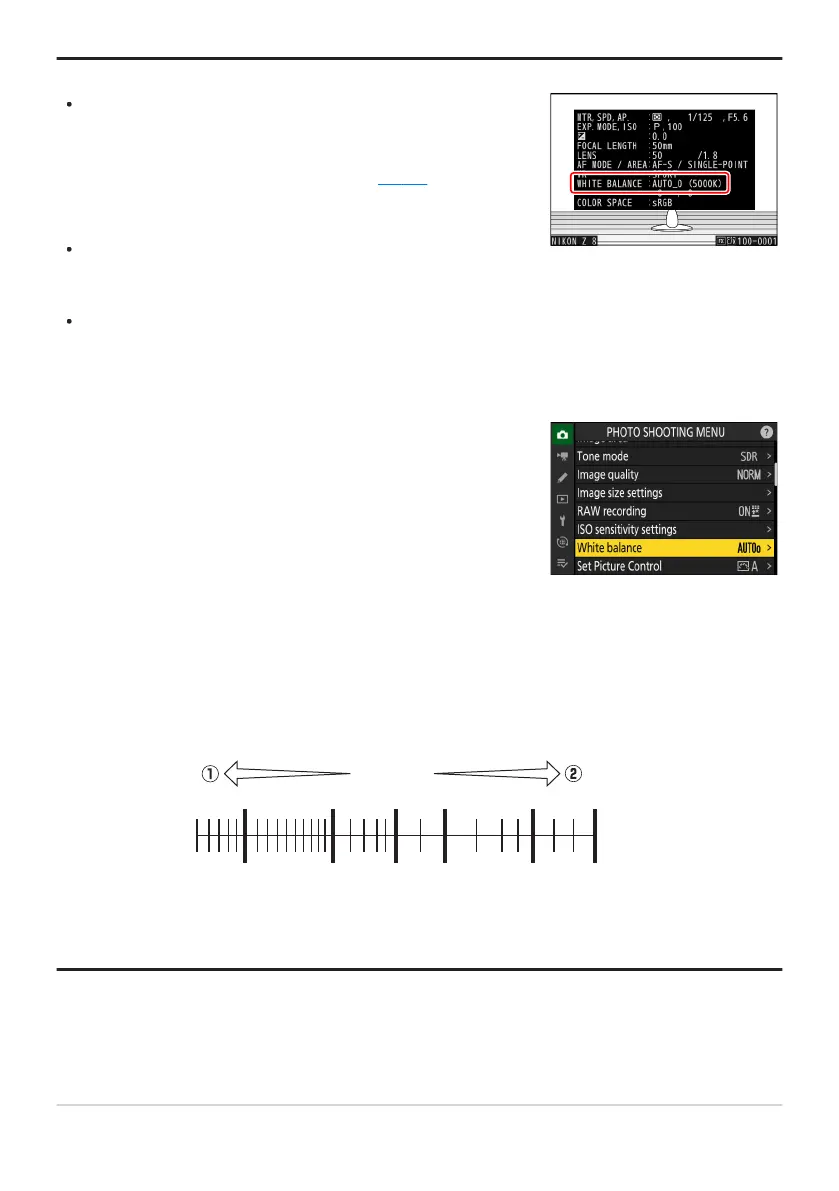
The photo info [Basic shooting data] page for pictur
es shot
with 4 [Auto], D [Natural light auto], or L [Preset
manual] selected for white balance lists the color temperature
in effect at the time the picture was taken (
0 219). You can use
this as r
eference when choosing a value for K[Choose color
temperature].
To view the [Basic shooting data] page during playback, go
to [Playback display options] in the playback menu and place
checks (M) next to [Shooting data] and [Basic shooting data].
Color temperature is not shown for pictures taken using high-
speed frame capture.
White balance can also be adjusted from the photo shooting and
video recor
ding menus.
Tip: Auto
Tip: The [White Balance
] Options
Tip: Color Temperature
The perceived color of a light source varies with the viewer; some may have a red cast while others
appear blue. Color temperature is an objective measure of the color of a light source, expressed in
Kelvins (K). The lower the color temperature, the redder the cast (q); the higher the temperature, the
bluer the cast (w).
3000 4000 5000 6000 8000 10000
[
K
]
Tip: Choosing a Color Temperature
In general, choose lower v
alues if your pictures have a red cast or to intentionally make pictures bluer,
higher values if your pictures are tinged blue or to intentionally make pictures redder.
147
White Balance



 To Next Page