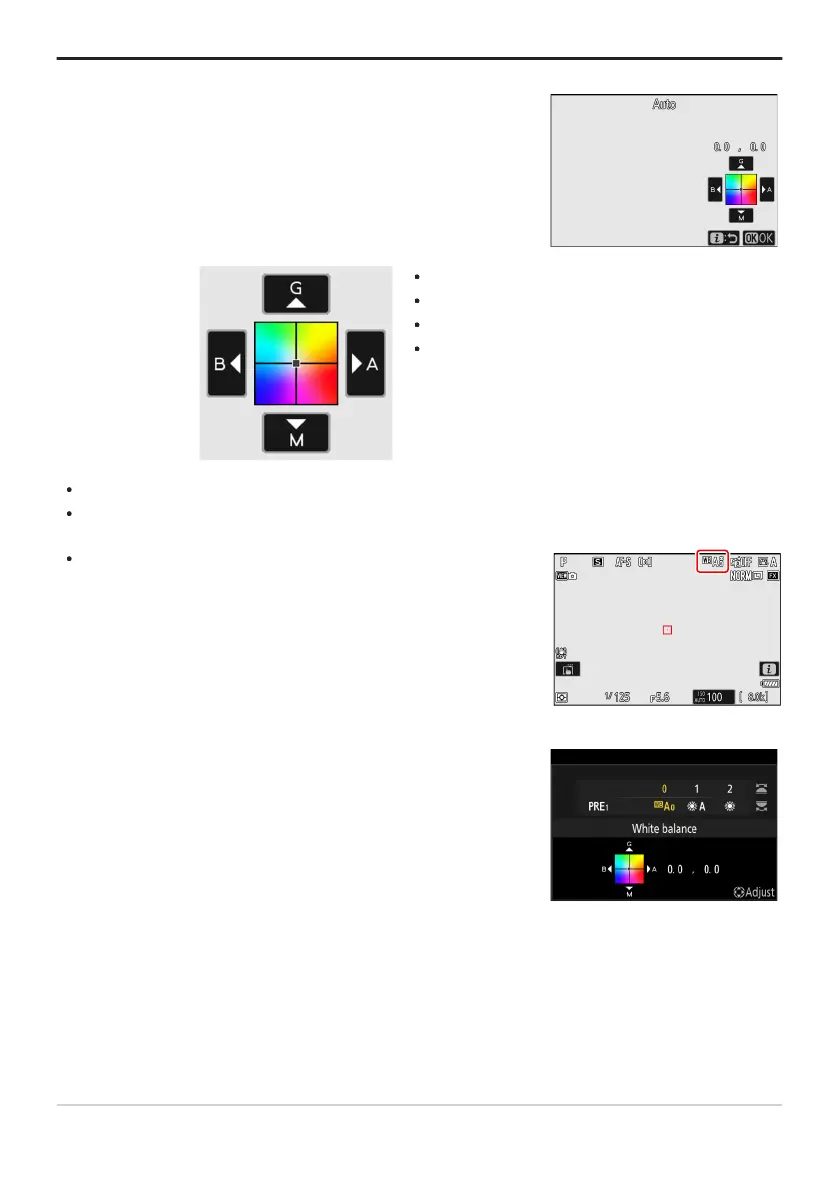
Pressing J when [
White balance] is highlighted in the i menu
displays a list of white balance options. If an option other than
K[Choose color temperature] is highlighted, fine-tuning options
can be displayed by pressing 3. Any changes to fine-tuning
options can be previewed in the display.
G: Increase green
B
: Increase blue
A: Increase amber
M: Increase magenta
If white balance has been fine-tuned, an asterisk (“U”) will appear
in the white b
alance icon.
To choose a white balance setting using the command dials,
press the
U button while shooting information is displayed. The
selected setting can be fine-tuned using the multi selector while the
U button is pressed.
Tip: The i Menu
Tap the arr
ows in the display or use the multi selector to fine-tune white balance.
Press J to save changes and return to the i menu.
Tip: The Information Display
150
White Balance



 To Next Page