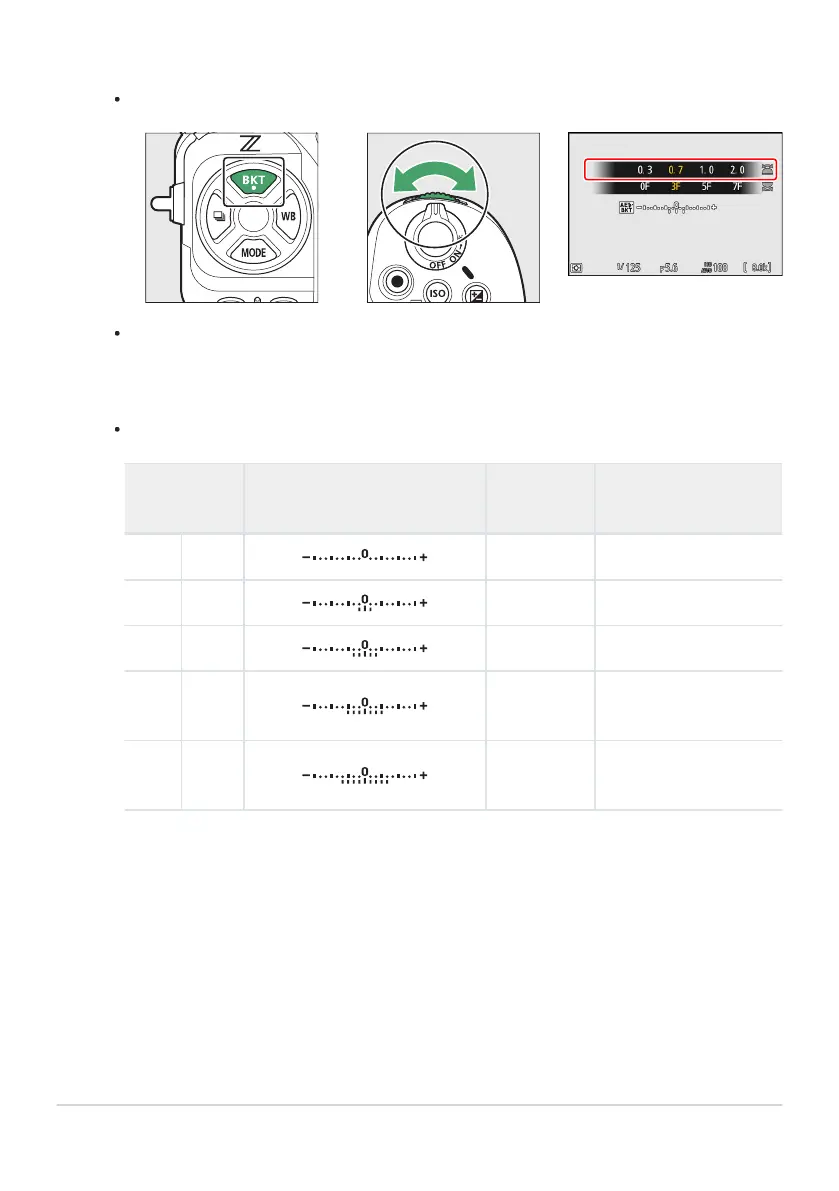
Select an exposure increment.
Hold the BKT
button and rotate the sub-command dial to choose the exposure increment.
When [1/3 step] is selected for Custom Setting b2 [EV steps for exposure cntrl], the size of
the increment can be chosen from 0.3(¹⁄₃), 0.7 (²⁄₃), 1.0, 2.0, and 3.0EV. Bracketing programs
with an increment of 2.0 or 3.0EV offer a maximum of 5 shots. If a value of 7 or 9 was
selected in Step1, the number of shots will automatically be set to 5.
The bracketing programs with an increment of 0.3EV are listed below.
Control panel
Exposure and flash bracketing
indicator
No. o
f shots Bracketing order
0F 0.3
0 0
3F 0.3 3 0/−0.3/+0.3
5F 0.3 5 0/−0.7/−0.3/+0.3/+0.7
7F 0.3 7
0/−1.0/−0.7/−0.3/
+0.3/+0.7/+1.0
9F 0.3 9
0/−1.3/−1.0/−0.7/−0.3/
+0.3/+0.7/+1.0/+1.3
164
Bracketing
2



 To Next Page