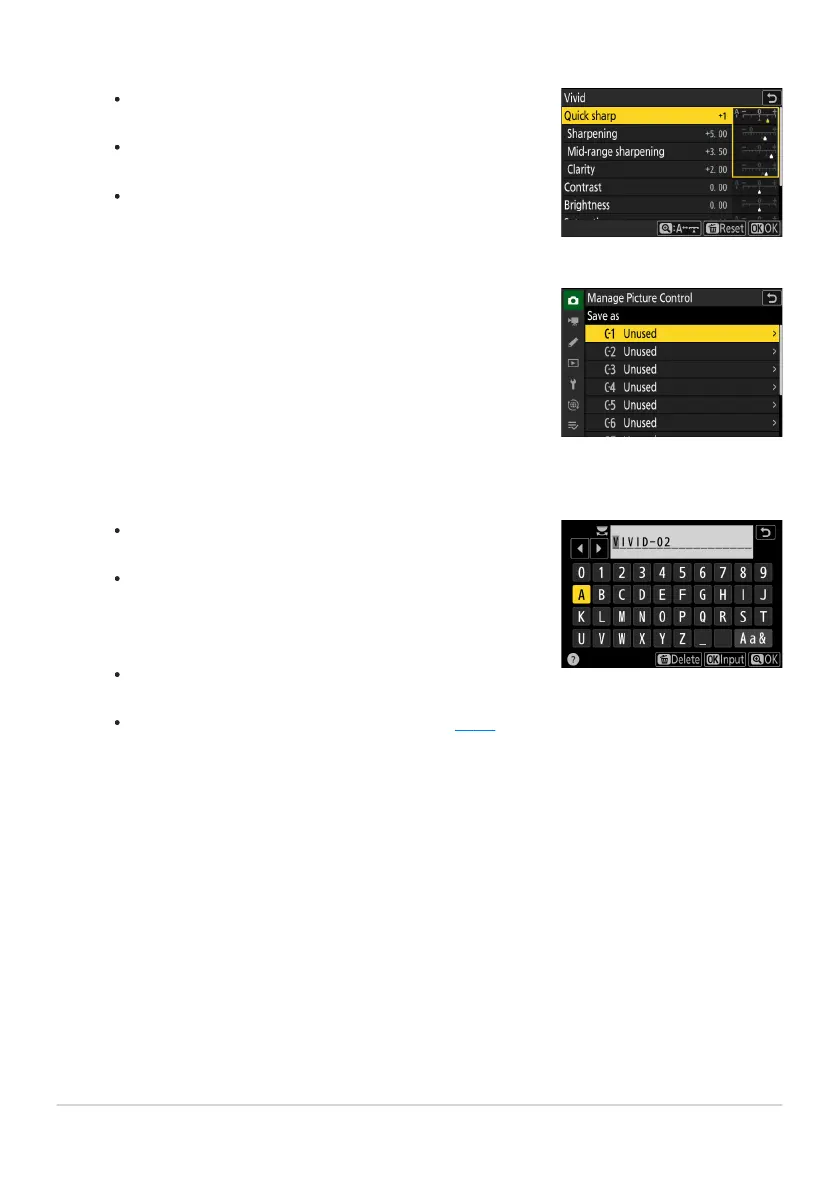
The options and procedure are the same as for [Set Picture
Contr
ol].
Press J to display [Save as] options when settings are
complete.
To abandon any changes and start over from default
settings, press the O (Q) button.
Select a destination.
Choose a destination for the custom Pictur
e Control (C-1
through C-9).
Pressing 2 when a destination is highlighted in the pr
evious
step displays the [Rename] text-entry dialog.
The default name, created by adding a two-digit number
to the name of the existing Picture Control, appears in
the text display area. The two-digit number is generated
automatically by the camera.
Custom Picture Control names can be up to nineteen
characters long.
For information on text entry, see “Text Entry” (
0 67).
Adjust settings.
Name the Picture Contr
ol.
182
Picture Controls
4
5
6



 To Next Page