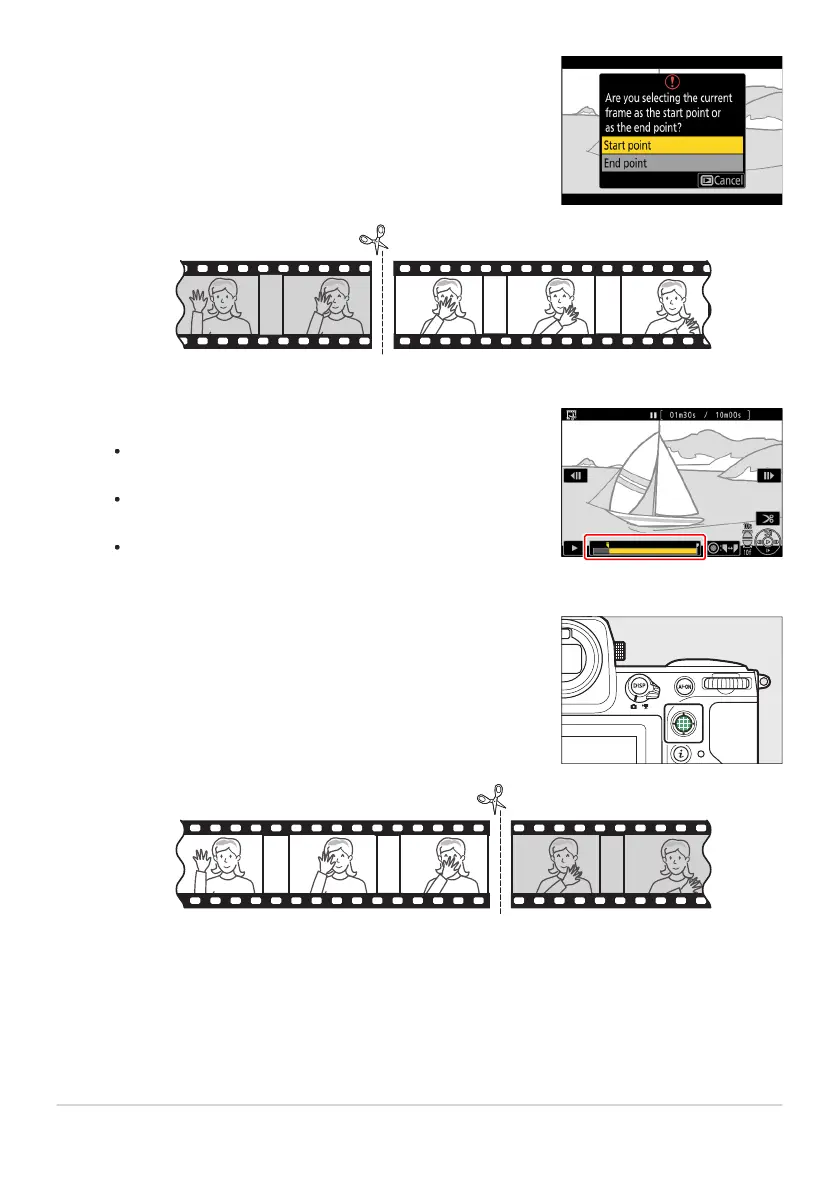
Choose the start point.
To cr
eate a copy that begins from the current frame, highlight
[Start point] and press J.
Confirm the new start point.
If the desired frame is not curr
ently displayed, press 4 or 2
to advance or rewind a frame at a time.
Rotate the main command dial one stop to skip ahead or
back 10 frames.
Rotate the sub-command dial one stop to skip ahead or
back 10s.
Choose the end point.
Pr
ess the cent
er of the sub-selector to switch to the end-point
selection tool (x) and then select the closing frame (x) as
described in Step5.
Press 1 to create the copy.
281
T
rimming Videos
4
5
6
7



 To Next Page