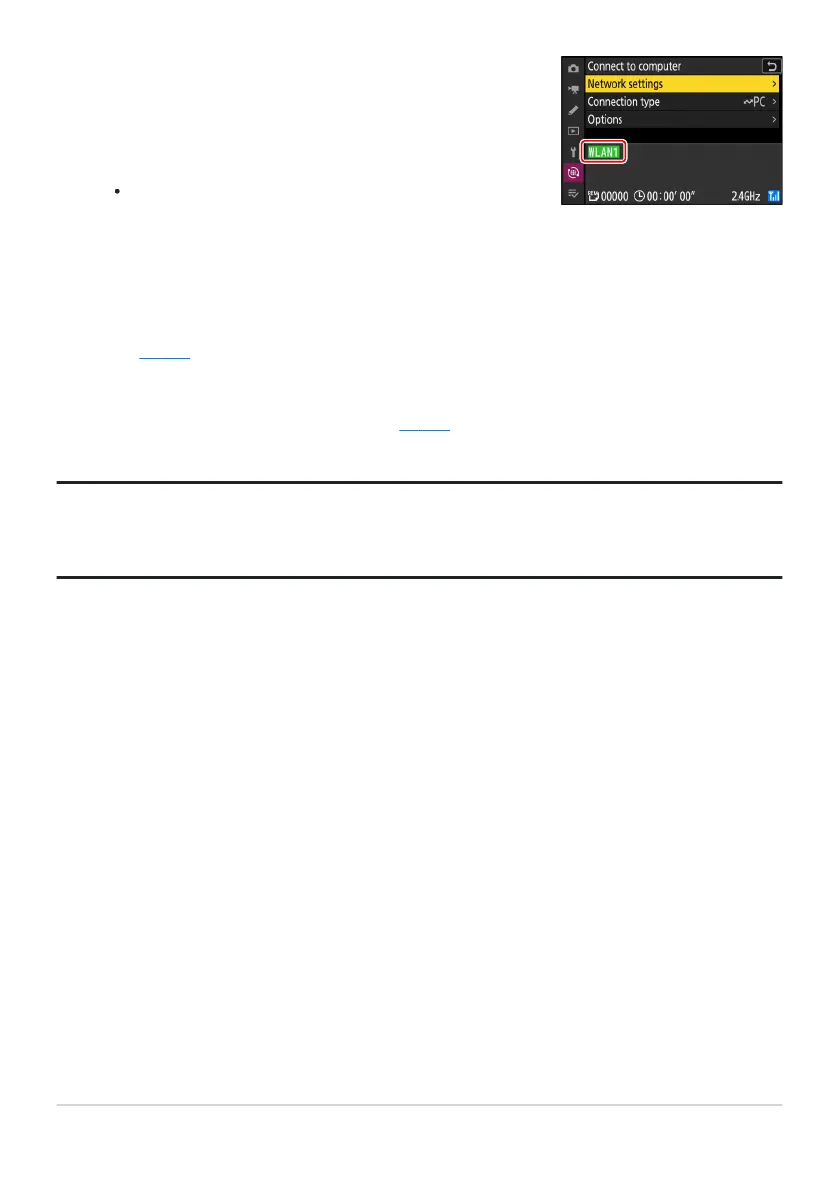
Check the connection.
When a connection is established, the pro
file name will be
displayed in green in the camera [Connect to computer]
menu.
If the profile name is not displayed in green, connect to the
camera via the wireless network list on your computer.
A wireless connection has now been established between the camera and the computer.
Pictures tak
en with the camera can be uploaded to the computer as described under “Uploading
Pictures” (
0 359) in the chapter titled “What Y
ou Can Do When the Camera Is Connected to a
Computer or FTP Server”.
For information on controlling the camera from a computer using Camera Control Pro2 or NX
Tether, see the section on “Camera Control” (
0 365) in the chapter titled “What Y
ou Can Do
When the Camera Is Connected to a Computer or FTP Server”.
Tip: Firewall Settings
TCP port 15740 and UDP port 5353 are used for connections to computers. File transfer may be
blocked if the server firewall is not configured to allow access to these ports.
319
Computers: Connecting via Wireless LAN
10



 To Next Page