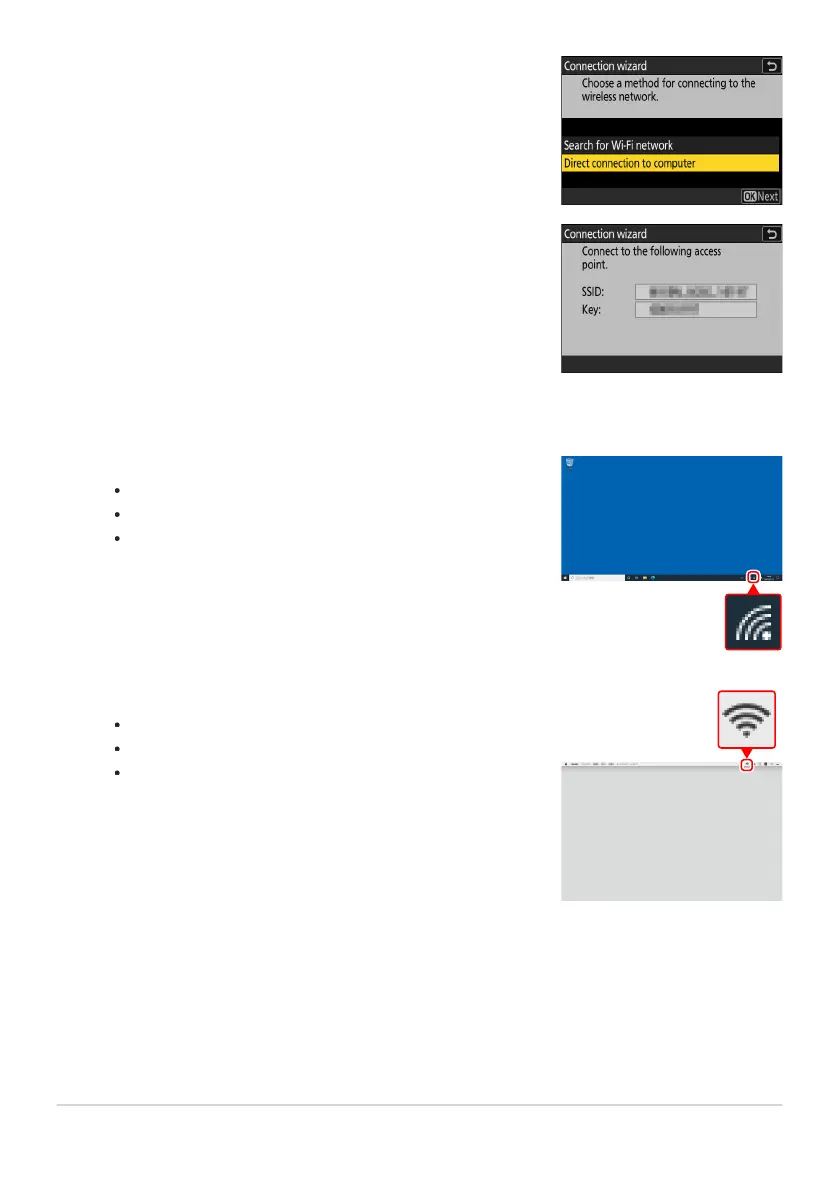
Highlight [Direct connection to computer] and press J.
The camera SSID and encryption key will be displayed.
Windows:
Click the wireless L
AN icon in the taskbar.
Select the SSID displayed by the camera in Step5.
When prompted to enter the network security key, enter
the encryption key displayed by the camera in Step5. The
computer will initiate a connection to the camera.
macOS:
Click the wireless L
AN icon in the menu bar.
Select the SSID displayed by the camera in Step5.
When prompted to enter the network security key, enter
the encryption key displayed by the camera in Step5. The
computer will initiate a connection to the camera.
Establish a connection to the camera.
338
FTP Servers: Connecting via Wireless LAN
5
6



 To Next Page