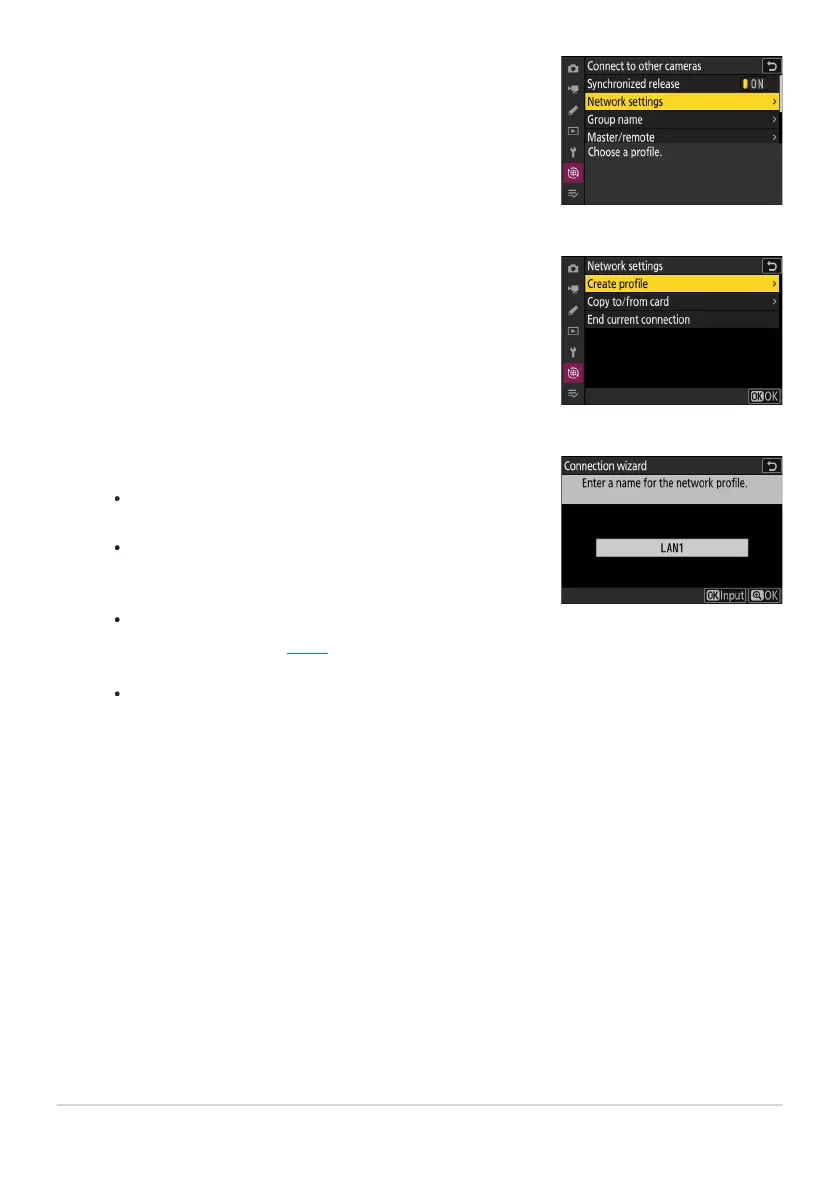
Select [Connect to other cameras] in the network menu,
then highlight [Netw
ork settings] and press 2.
Highlight [Create profile] and press J.
Name the new profile.
To display IP addr
ess options without changing the default
name, press X.
Whatever name you choose will appear in the network
menu [Connect to other cameras]> [Network settings]
list.
To rename the profile, press J. For information on text
entry, see “Text Entry” (
0 67). Press X to proceed after
entering a name.
There may be a delay before the camera detects the USB-
to-Ethernet adapter. If the camera is unable to detect an
Ethernet connection, the wizard will be configured to begin
creation of a wireless LAN profile with the default name
“WLAN1”. Tap Z or press 4 to return to Step 4, wait about
10 seconds, and then try again.
380
Synchronized Release
3
4
5



 To Next Page