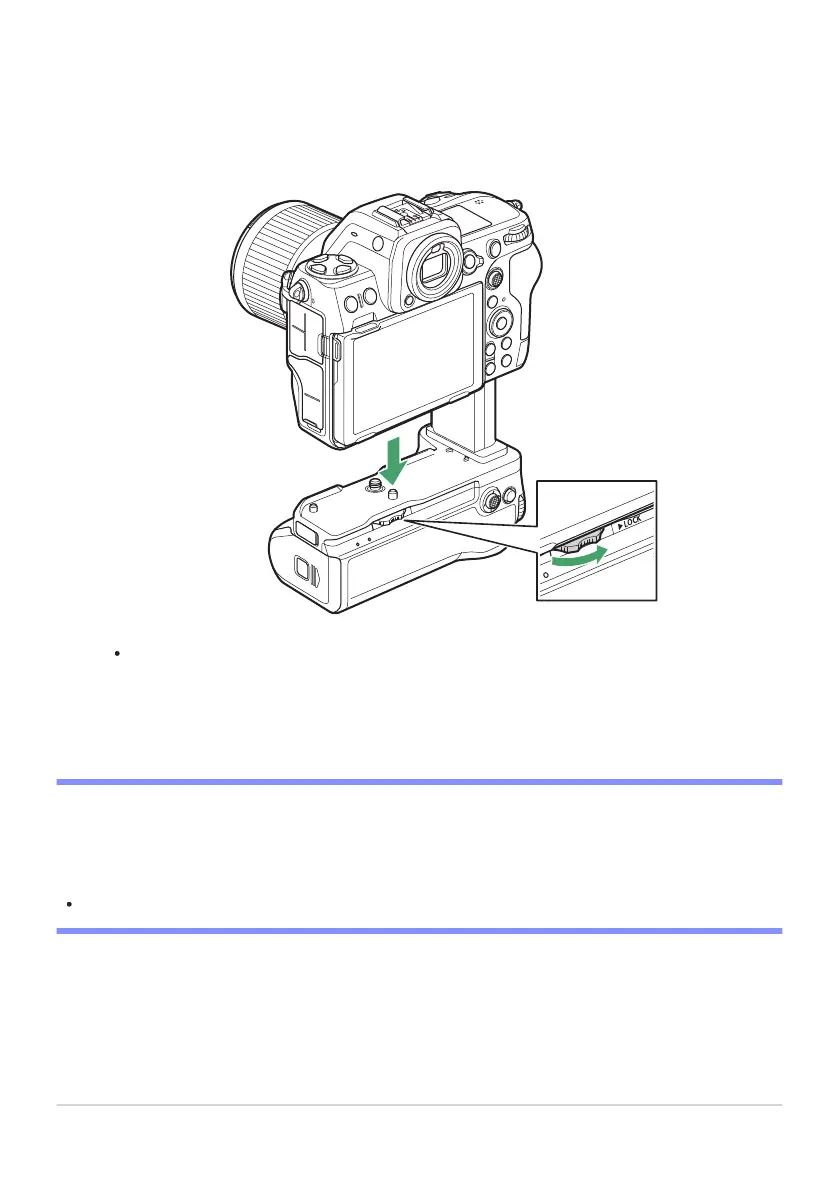
Attach the MB-N12 to the camera.
Rotat
e the attachment wheel in the direction shown by the FLOCK arrow to secure the battery
pack in place. Secure the MB-N12 in place by tightening the attachment wheel until it will turn
no further.
A warning may appear in the camera shooting display if the MB-N12 is not securely attached.
Securing the MB-N12 in place by tightening the attachment wheel until it will tur
n no further
may resolve the issue.
D Removing the MB-N12
To remove the MB-N12, turn the camera off, then loosen the attachment wheel by turning it in the
direction opposite to that used to attach it. After removing the MB-N12, remove the battery-chamber
cover from the battery-chamber cover holder and reattach it to the camera.
Reattach the contact cap to the MB-N12 when the battery pack is not in use.
874
Optional MB-N12 Power Battery Packs
3



 To Next Page