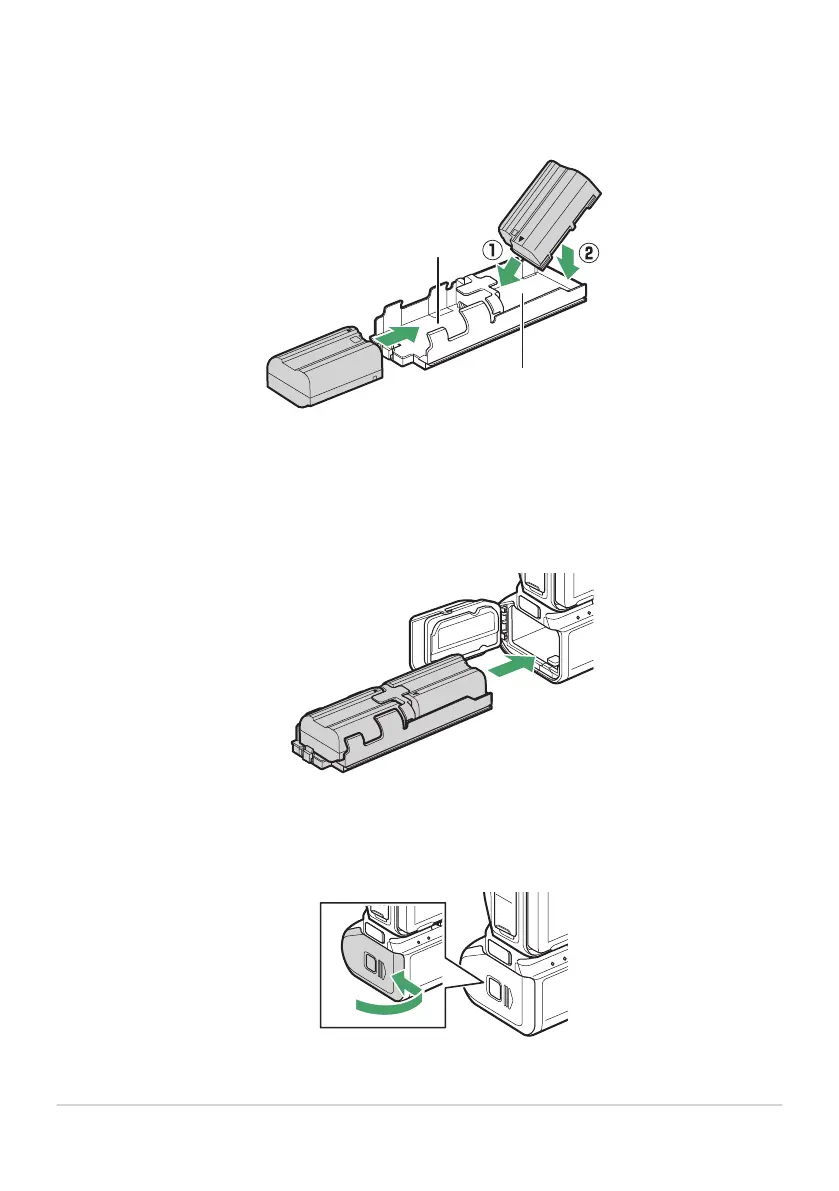
Insert the batteries in the battery holder.
Insert the b
atteries in the orientations shown. The battery latch will click into place when the
battery in ChamberA is fully inserted.
Insert the battery holder terminals-first.
Using the bottom o
f the battery holder to depress the battery-holder latch, slide the battery
holder into the chamber terminals-first. Stop when the latch clicks back into place.
Close the holder-chamber cover and latch it by pressing and sliding it in the direction
shown.
876
Optional MB-N12 Power Battery Packs
3
4
5



 To Next Page