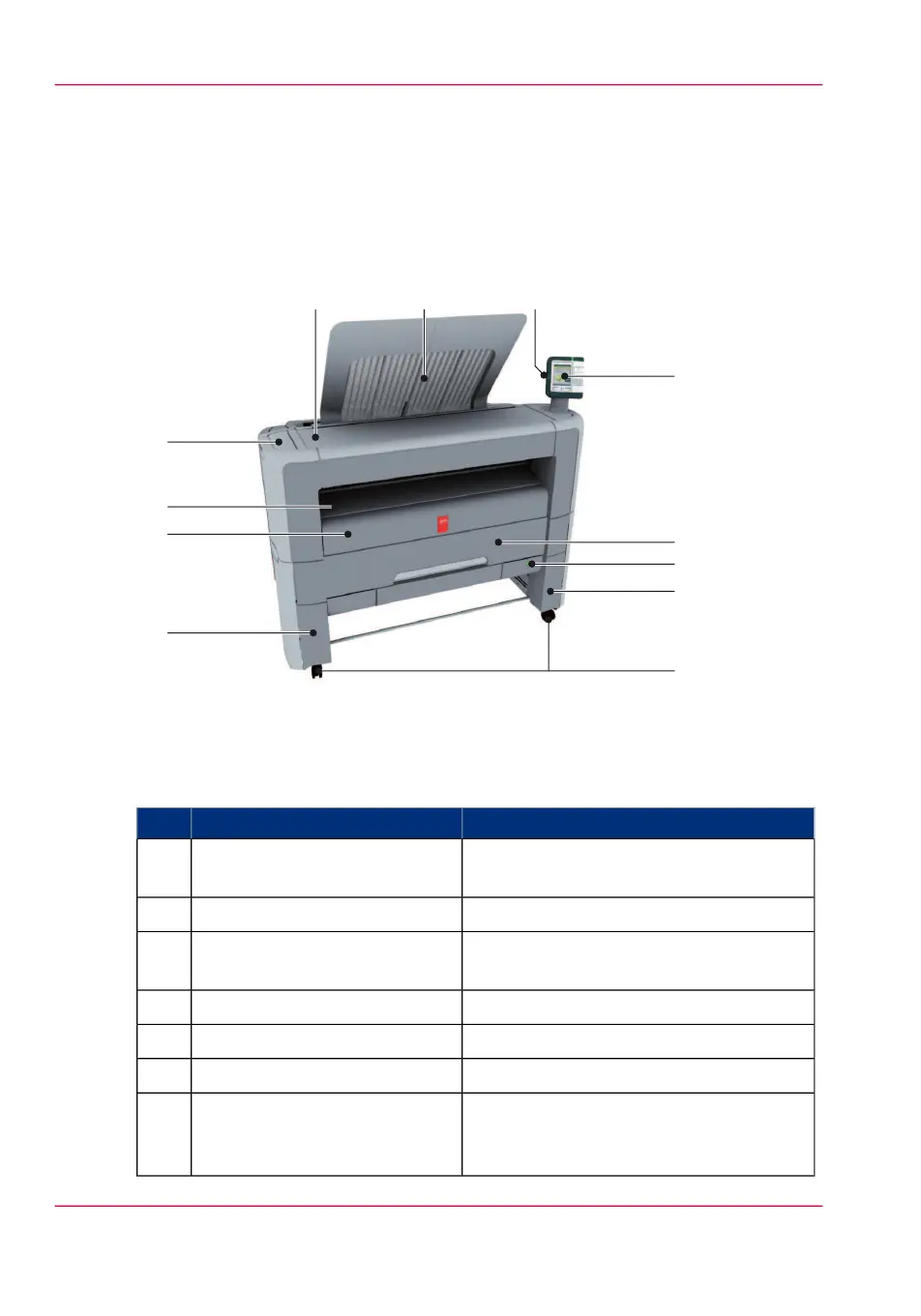
The Océ PlotWave 350 hardware
The components of the printer (front)
Illustration
Component - function table
#
Description / FunctionComponentNr
Remove this cover if you want to move the
printer.
lower left front cover1
Door at the front, used for error recovery.lower front cover2
To manually feed cut-sheets up to 36"
width.
media bypass3
Compartment for toner refill.toner compartment4
Only available in printer-only version.printer top cover5
Delivery tray for the printed sheets.top delivery tray6
USB connector to use a USB mass storage
device to print from or to scan to, if a
scanner is available.
USB flash drive interface7
Chapter 2 - Get to know the printing system30
The components of the printer (front)



 To Next Page