System Manual= lñÑçêÇ=fåëíêìãÉåíë=mä~ëã~=qÉÅÜåçäçÖó= lé^i
RKN fåíêçÇìÅíáçå=
This section contains instructions for the operation of the lé^i=system. The instructions are
supplemented by descriptions of the system’s controls and indicators, and control software.
The operating facilities comprise the following:
a) Controls and
Indicators
Provide the functions necessary to power the system up,
shut the system down in an emergency, open and close the
process chamber, and shut the system down.
b) PC 2000 Software Provides the operator interface to automatically control
and monitor the system hardware.
RKNKN `çåíêçäë=~åÇ=áåÇáÅ~íçêë=
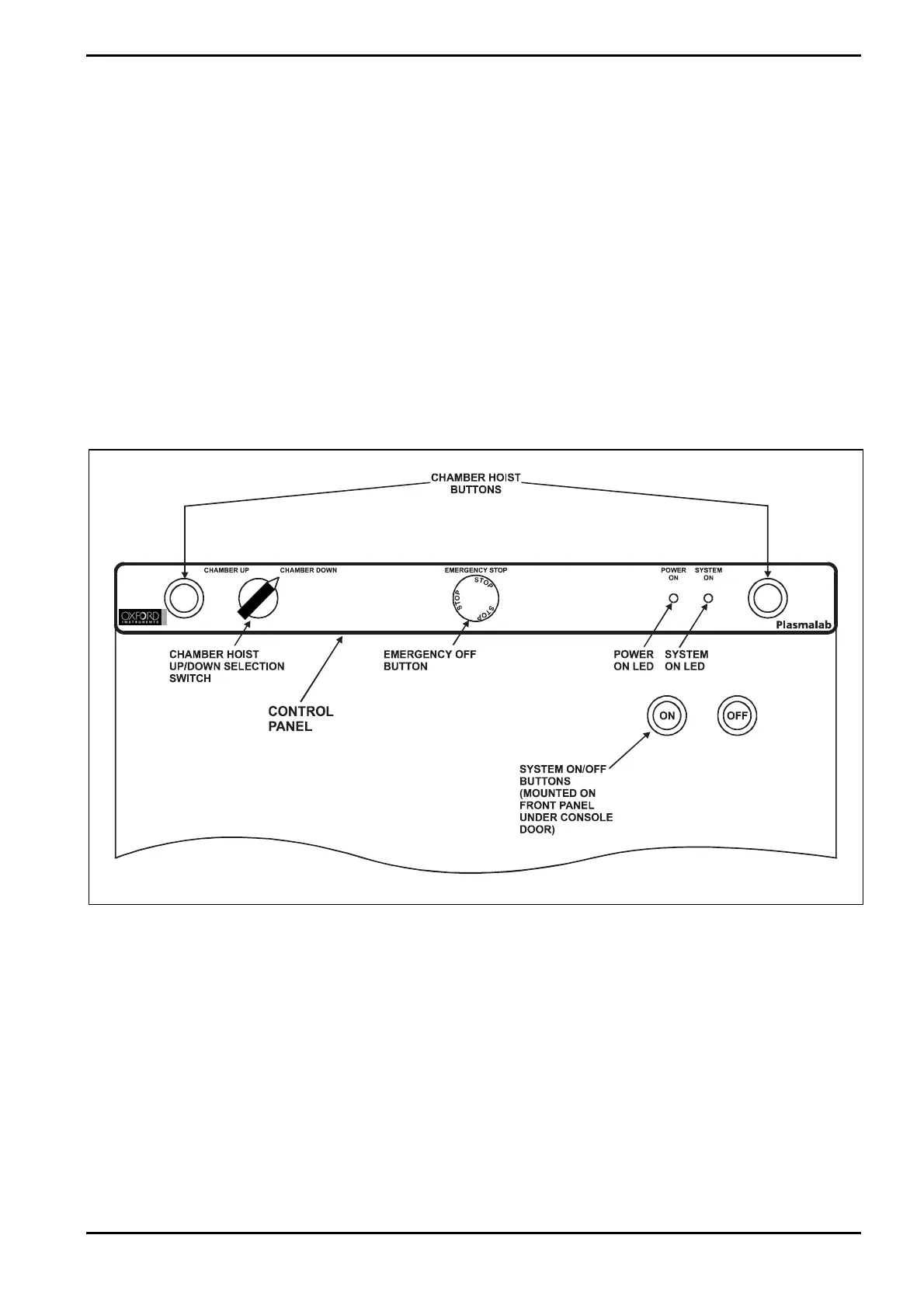
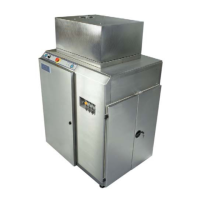
The controls and indicators are mounted on the front of the console as shown in Fig 5-1.
Fig 5-1: Controls and indicators
The controls and indicators comprise:
Chamber Hoist buttons and
up/down selection switch:
These controls raise and lower the chamber top to allow
access to the chamber interior. See sub-section 5.5, page
5-10, for details.
Emergency Off (EMO) button: When pressed, the system is shut down. See sub-section
5.3, page 5-6 for details.
Power On indicator: Indicates that 3-phase electrical power is connected to the
machine.
System On indicator: Indicates that the system is powered up.
Operating Instructions
Printed: 06 November 2007 09:42 Page 5-3 of 60 Generic (OpAL Plasma) Issue 1: Oct. 07


 To Next Page