Working with Reports
4-32 ST80i Stress Test System Instructions for Use
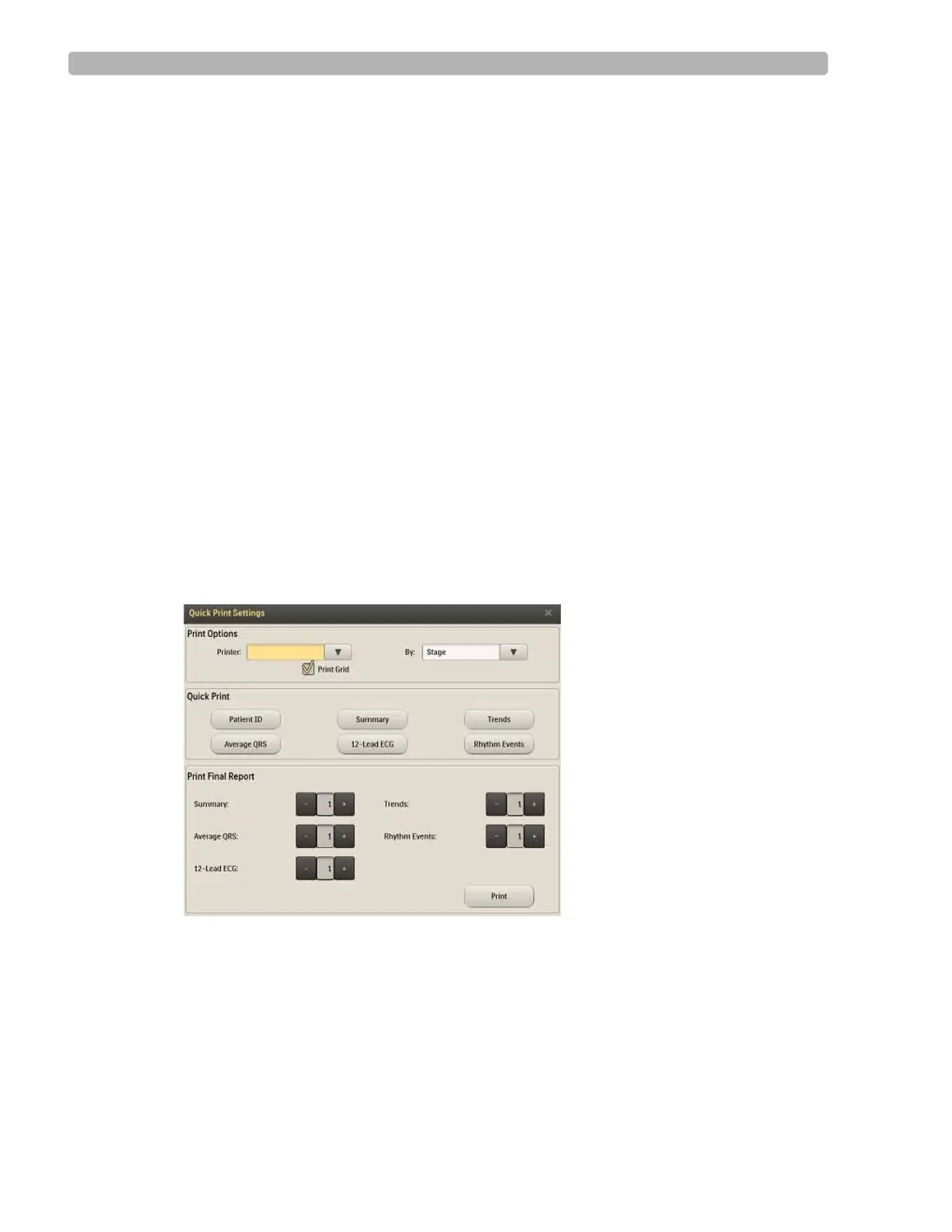
Print (Quick Print Settings) Button
On the Report screen, the Print button on the Procedure bar is used for printing both the Final
Stress Report and individual reports. With the Quick Print Settings feature, you can override
the following preconfigured settings:
Final Report
– Printer selection
– Print mode (by stage, by minute)
– Print Grid (on or off)
– Number of copies to print
Individual Reports
– Printer selection
– Print mode (by stage, by minute)
– Print Grid (on or off)
– Number of copies to print
When you click the
Print button, the Quick Print Settings dialog box is displayed.
Figure 4-15 Quick Print Settings
Print Options
–Printer
– By Stage, By Minute
– Print Grid checkbox
Quick Print
– Patient ID



 To Next Page