An Overview of the ST80i Stress Test System
2-30 ST80i Stress Test System Instructions for Use
Gear (Quick Settings)
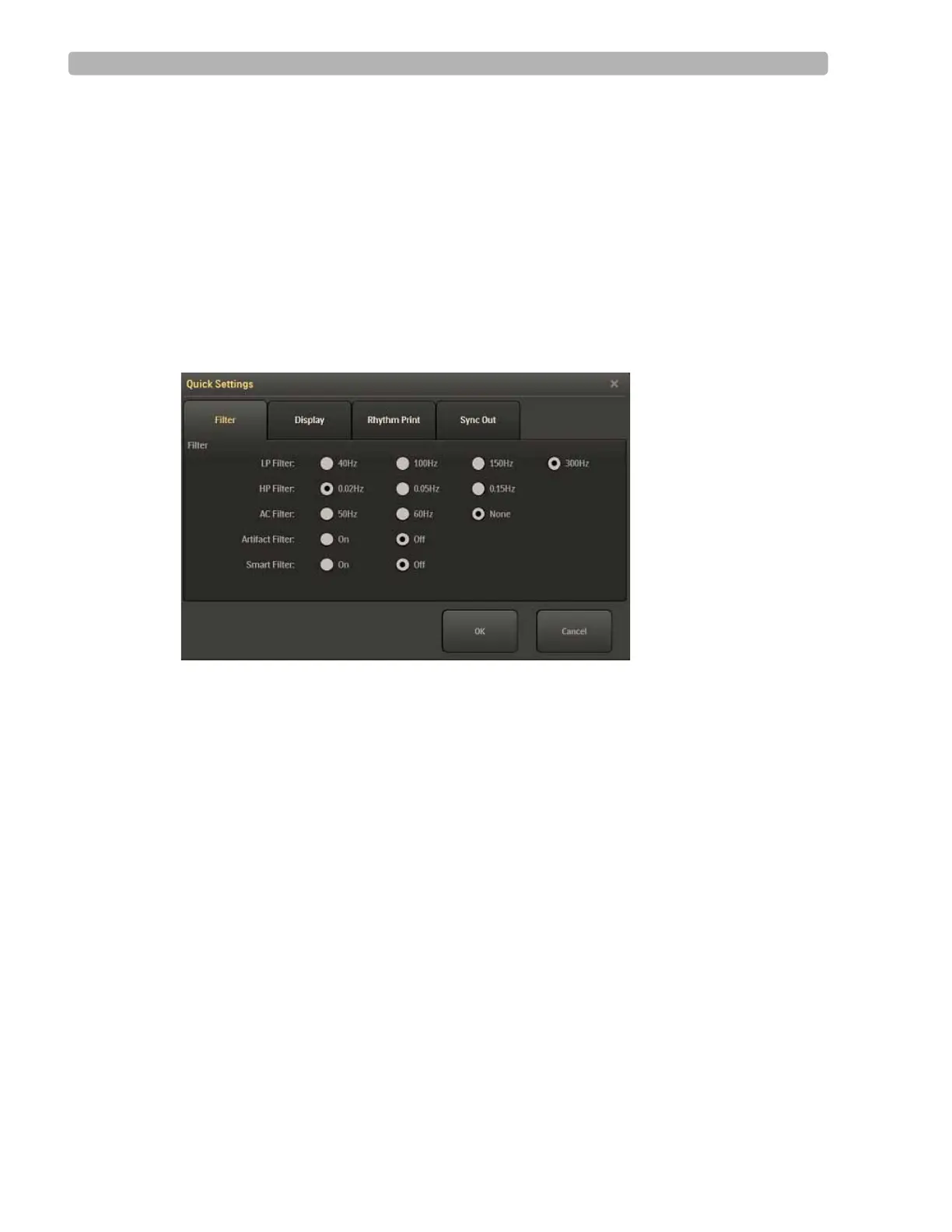
Click the Gear/Quick Settings icon to display the four-tabbed Quick Settings window from
which you can change specific default settings that relate to the following:
Filter
Display
Rhythm Print
Sync Out
Figure 2-10 Quick Settings Window
Filter
The Filters are pre-configured in the Settings section of the application. When you log into
ST80i, the active settings of the filters are set to a stored default set that are associated with
your user profile.
The ECG data is stored in its unfiltered state (0.02 - 300Hz, all filters off) and user-selected
settings are stored with the ECG."
NOTES The ECG data is filtered at 0.05-150Hz before being analyzed by the algorithm. This filter is called the
algorithm filter and cannot be turned off by user. The algorithm filter is independent from other filters
and is neither controlled by the user nor affects the saved ECG data.
All filters can be turned on or off as needed to improve signal quality except for the algorithm filter (as
described above) and minimum filters (0.02Hz high pass filter and 300Hz low pass filter).
Using the Filter tab in Quick Settings, you can change the default settings.
The options include:
Low Pass (LP) Filter: 40Hz, 100Hz, 150Hz, 300Hz
High Pass (HP) Filter: 0.02Hz, 0.05Hz, 0.15Hz



 To Next Page