Using the Toolbar Icons
ST80i Stress Test System Instructions for Use 2-15
Treadmill Button
The Treadmill button is used to stop and start the treadmill during a patient session.
WARNING The ST80i USB and RS-232 ports should be connected only to treadmills, ergometers, and NIBP
monitors that are certified to meet IEC 60601-1 and are listed as supported devices in the Instructions
for Use. See “Supported Treadmills and Ergometers” on page E-7 of Appendix E, “Specifications and
Requirements”.
CAUTION If the “Stop Treadmill” GUI button does not respond for any reason, immediately press the red
“Emergency” button on the treadmill handrail.
Ergometer Button
The Ergometer button is used to stop and start the ergometer during a patient session.
Using the Toolbar Icons
Generally, you will not change the settings associated with a selected profile and protocol
during an exercise stress test. However, there may be instances when you wish to change
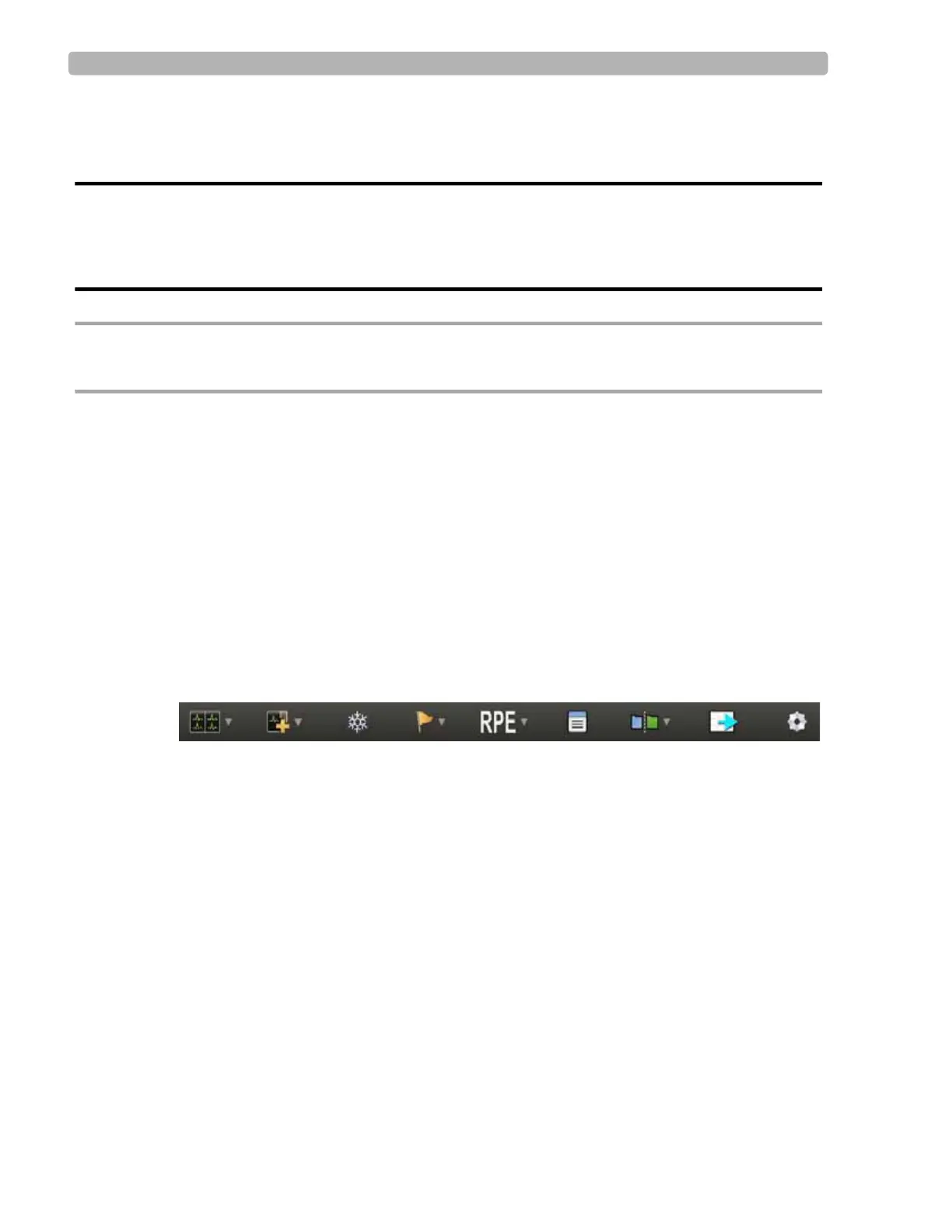
specific display settings. You can change display settings by using the Toolbar icons.
Figure 2-8 Toolbar Icons
When you mouse over each icon, a Tool Tip is displayed.
Using the
Toolbar icons, you can do the following:
Select what leads to view in real time
Change the default setting of the waveforms on the waveform screen
Display a zoomed view of an average complex to either a specified lead or for the lead that
shows the most significant change in ST level
Freeze the ECG or enable a filter to reduce noise
Use the lead map diagram to check the lead wire contact with a predefined, color-coded
indicator to show which lead is off



 To Next Page