An Overview of the ST80i Stress Test System
2-6 ST80i Stress Test System Instructions for Use
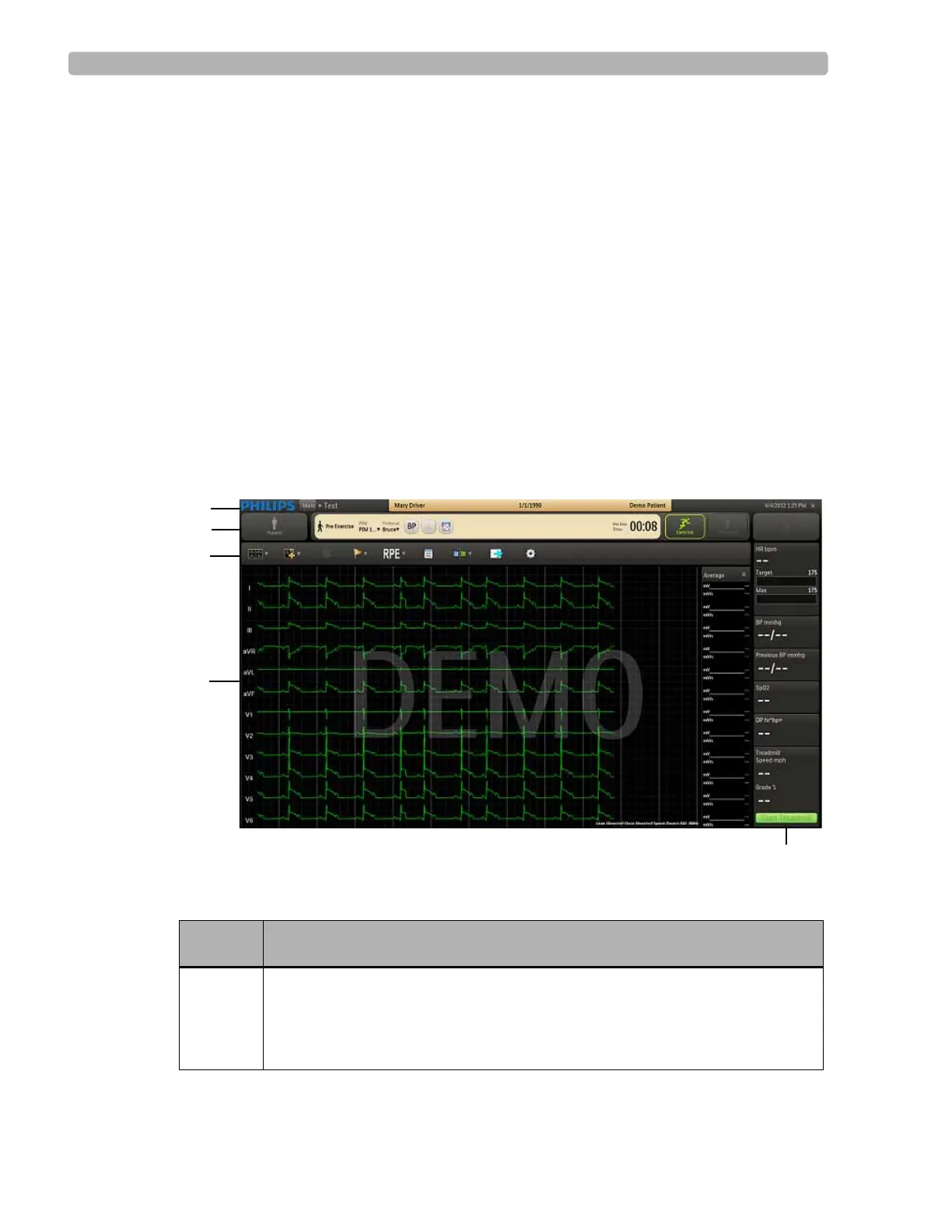
ST80i Test Screen
The ST80i Test screen (user interface) provides:
All key procedural information including the protocol being used
Pop-ups, drill-down menus, and notes pages that can be viewed then hidden so that the
leads can be viewed in their entirety
Time of Day for correct time stamp on the start-up screen for every stress test
Real-time ECG as well as NIBP and SpO
2
, Trends, and other numeric displays that
include ST values, ST slope, Double Product, and ST/HR index
On the Test screen, you have command of several functions during a patient session. You can
adjust the speed and elevation of a treadmill and insert manual blood pressure data. You can
also abort the exam at any point without losing any patient data. However, note that the
exercise data will be lost.
Figure 2-2 ST80i Test screen
Table 2-1 ST80i Test Screen Features
Feature Description
A
Title Bar - displays patient name date of birth and ID, along with current date
and time; during the patient session, you can click the patient name in the Pre
Exercise phase or Report phase to update patient information; also where the
PIM battery status and RF transmitter LED indicators appear.



 To Next Page