An Overview of the ST80i Stress Test System
2-12 ST80i Stress Test System Instructions for Use
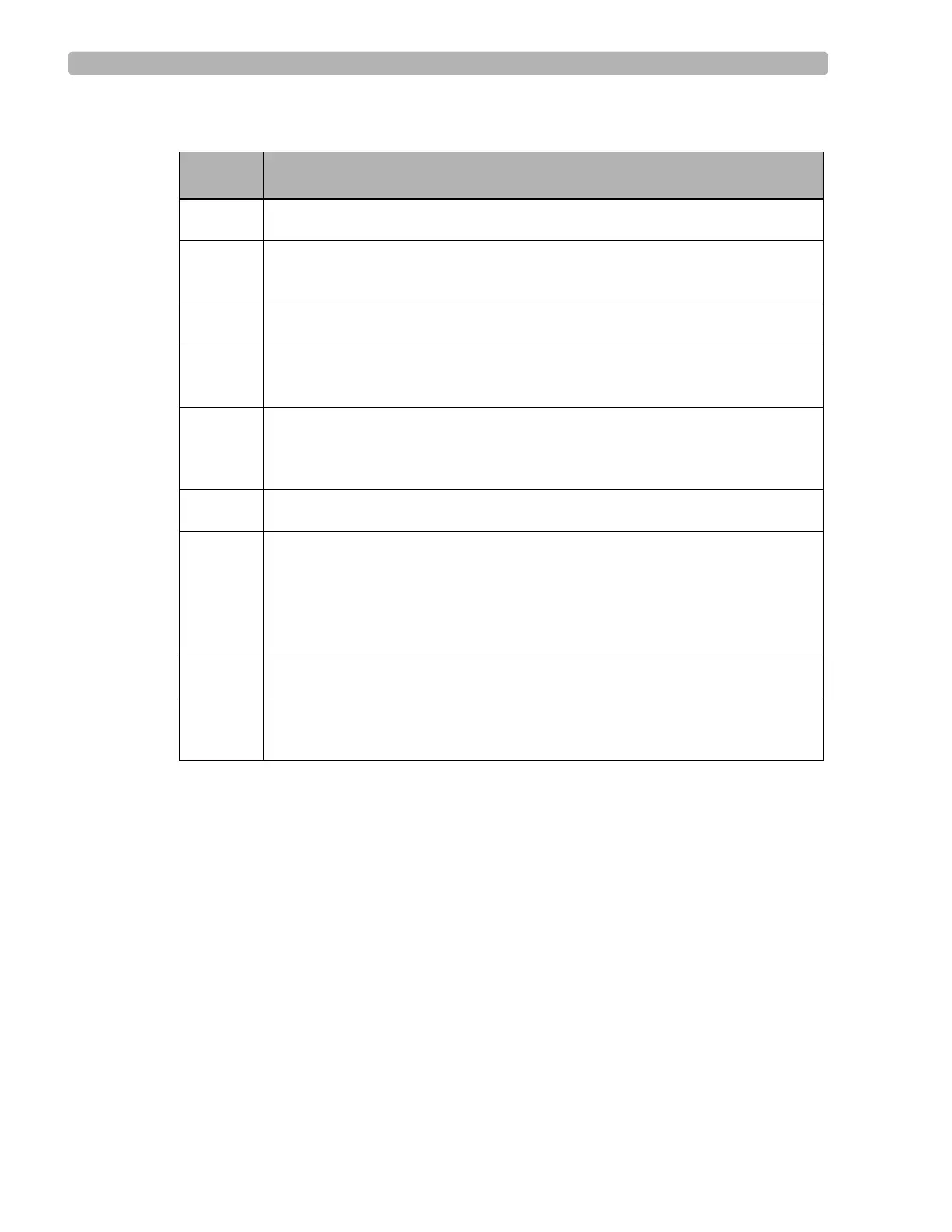
Table 2-4 Side Panel Features
Heart Rate bpm
This field shows the current heart rate of the patient.
Target Heart Rate (130)
There are visual and audible indicators when the target heart rate is achieved.
This field shows the % of Target Heart Rate achieved.
Target Heart Rate is X% of maximum heart rate – as established in User Profile
Target Heart Rate % is pre-set (typically 85%)
See the information regarding Target Heart Rate in the ST80i Installation and Configuration
Guide.
Feature Description
A
Heart rate beats per minute
B
Target heart rate – visual and audible indicators when target heart rage is
achieved
C
Maximum heart rate
D
BP mmhg – current blood pressure; used also to manually insert current BP
measurement
E
Previous BP mmhg – when BP is taken as pre-configured by stage, previous
BP is shown; previous BP is also shown when you manually insert current BP
measurement
F
SpO
2
numeric data with appropriate stage; you can manually insert SpO
2
data
G
DP hr*bp (Double-Product – default); drop-down includes:
METS – establishes metabolic equivalent [Algorithm calculation of HR,
speed of Treadmill, etc.]
ST mm – ST Index
H
Treadmill speed (mph), grade %, or ergometer watts
I
Treadmill or Ergometer button (Start/Stop). The button displays “Unavailable”
when the treadmill or ergometer is unavailable.



 To Next Page