ST80i Thermal Printer
ST80i Stress Test System Instructions for Use C-5
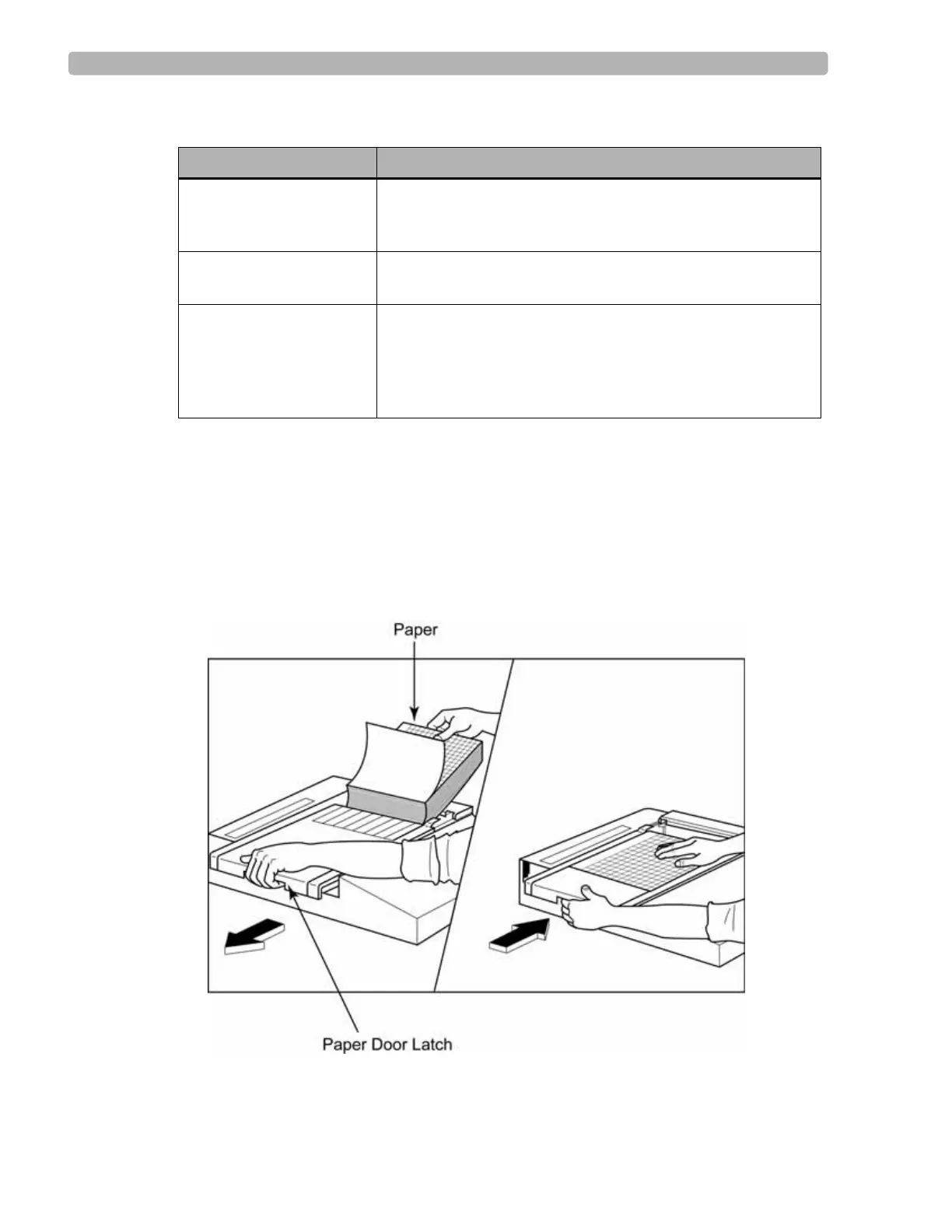
Loading the Thermal Printer Paper
To load the paper
1
Remove the outer packaging from the paper pack.
2 Facing the front of the unit, use the release latch on the left side and slide the paper tray
cover to the left.
Table C-2 Input and Output descriptions
Feature Description
AC Power The ST80i thermal printer operates on 120/240 VAC at
50/60 Hz. Power is supplied to the thermal writer as soon as
the AC power cord is connected to an AC power outlet
.
Power On Indicator This indicator will illuminate in green when AC power is
applied.
Hard Copy Printout The ST80i thermal printer uses 8 1/2 in x 11 in
(21 cm x 27.9 cm) sheets of z-folded, thermal sensitive
paper with cue marks. Printing speeds are 10, 25, and
50 mm per second. Dot density is eight dots per millimeter
or 203.2 dpi.



 To Next Page