ST80i Test Screen
ST80i Stress Test System Instructions for Use 2-9
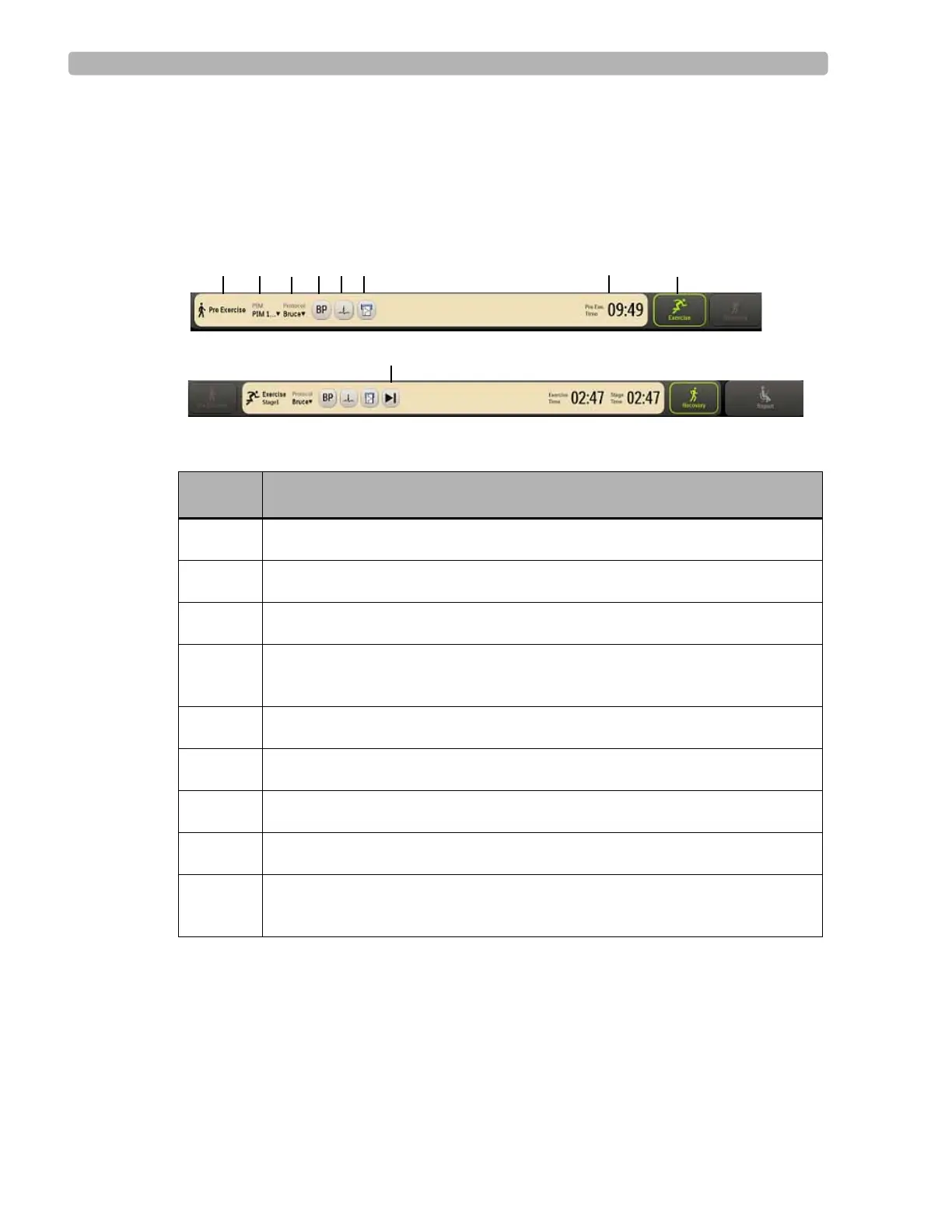
Procedure Bar
By default, the Procedure Bar is at the top of the screen. You can change the location of the
Procedure Bar to the bottom of the screen. See the ST80i Installation and Configuration Guide
to change the default setting [Settings User Profile Display].
Figure 2-5 Procedure Bar
Table 2-3 Procedure Bar Features
Feature Description
A
Current exercise phase (Pre Exercise, Exercise, Recovery, Report)
B
PIM device (only in the Pre Exercise stage)
C
Protocol (Protocol drop-down list)
D
BP
button - used to manually command the optional automatic blood pressure
(NIBP) device to take an unscheduled blood pressure measurement
E
Print ECG
button
F
Rhythm print
button
G
Advance
(to the next stage) or Stop buttons
H
Exercise stage and time
I
Phase buttons (Pre Exercise, Exercise, Recovery, Report) - next phase is
illuminated in green



 To Next Page