LIFEPAK 15 Monitor/Defibrillator
Service Manual
Replacement Procedures
OEM PCB (A06) Replacement
Section Menu Section Contents Procedures Back Index
264
8
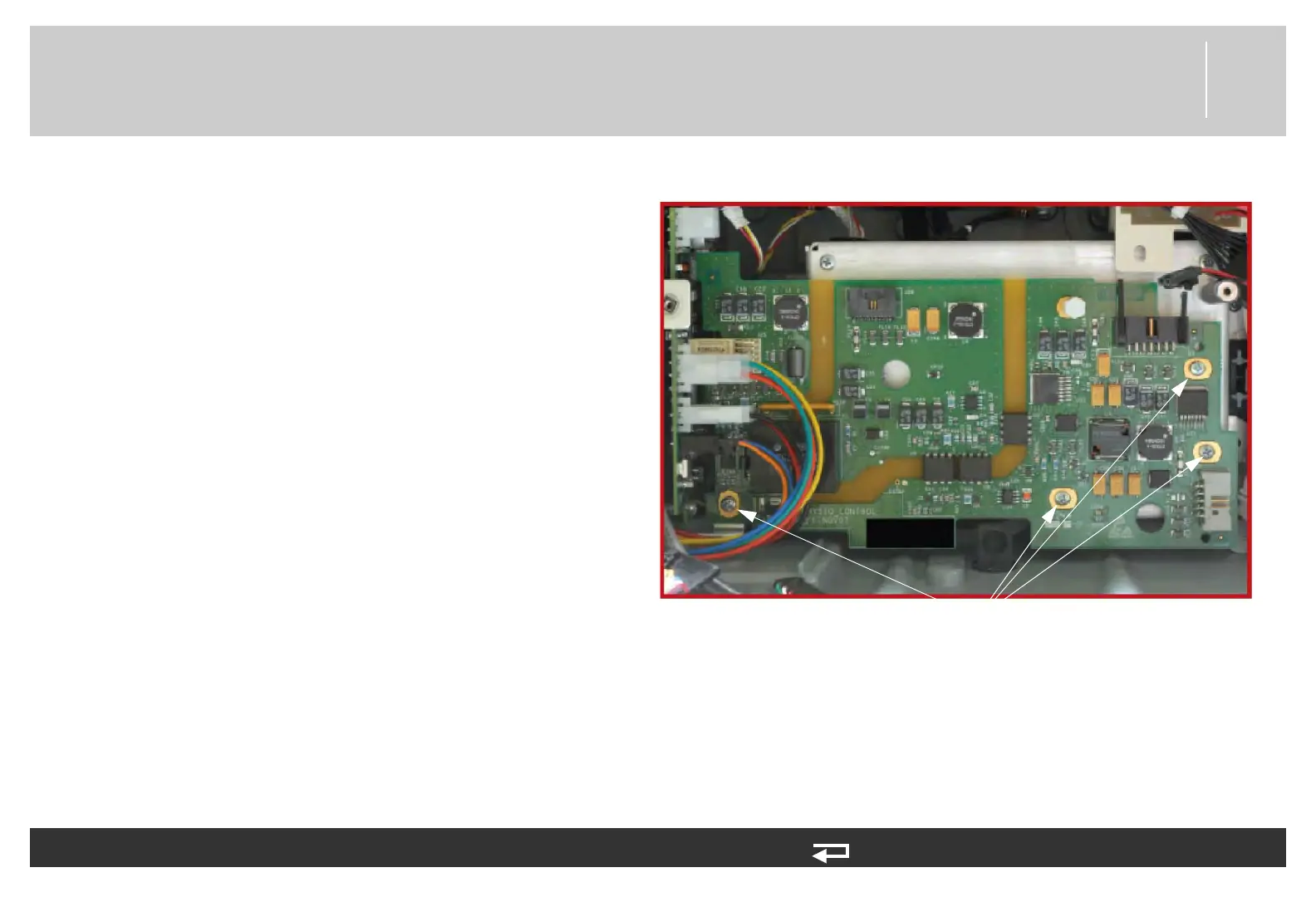
9. Remove the four mounting screws (202253-761).
Discard the screws.
10. Lift the right edge of the OEM PCB upward slightly,
and then slide the PCB to the right (toward the
capacitor) to disengage the direct connection
between the OEM PCB at J25 and the power PCB
at J16.
11. Lift the OEM board from the rear case.
To remove the OEM PCB (A06) from the rear case: (Continued) 11 steps, (Page 3 of 3)
mounting screws
(4 places)
Figure 8.61—OEM PCB screw locations














 To Next Page