Chapter 10 PI-MAX2 DIF Camera 131
Dual Trigger Mode
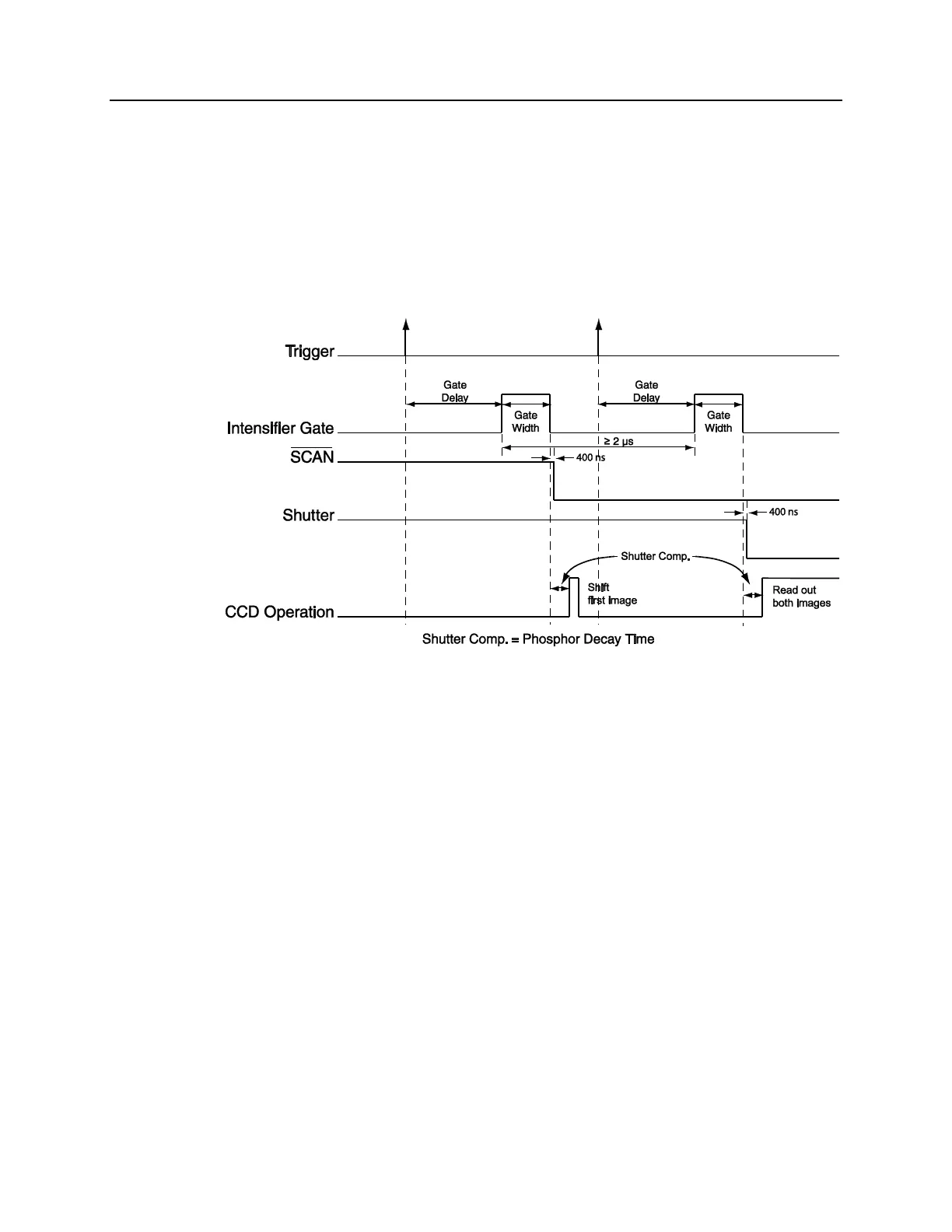
The Dual Trigger Mode requires two triggers to acquire both images of the DIF operation.
The PTG will control the gating of the intensifier for both images. To make the gate width
and delay the same for both images, select Repetitive Mode from the Gating tab of the
Pulser dialog then click the Setup button to set the values. To make the gate width and
delay different for each pulse, select Sequential Mode from the Gating tab of the Pulse
dialog, then click the Setup button to set the values. The Number of Images should be set to
2, and the first image will use the starting values for gate width and delay while the second
image will use the ending values.
Figure 82. DIF Operation: Dual Trigger Timing Diagram



 To Next Page