Chapter 5 General Operation Factors 67
Setup tab card and then selecting the Use Software Binning checkbox. The drawback to
automatic binning is that the raw data is lost. Alternatively, you can acquire raw data and
then use the post-processing binning function (located on the Process|Binning and
Skipping… dialog box) to select the input data, enter the binning parameters, and save
the result to an appropriately named file.
Digitization
During readout, an analog signal representing the charge of each pixel (or binned group
of pixels) is digitized. The number of bits per pixel is based on both the hardware and the
settings programmed into the camera through the software.
For PI-MAX systems, the ST-133 has two complete analog channels including separate
A/D converters. Because the readout noise of CCD arrays increases with the readout rate,
it is sometimes necessary to trade off readout speed for high dynamic range. The two
analog converters, one optimized for high speed, the other for high precision, provide a
solution to this problem. Switching between the channels is completely under software
control for total experiment automation.
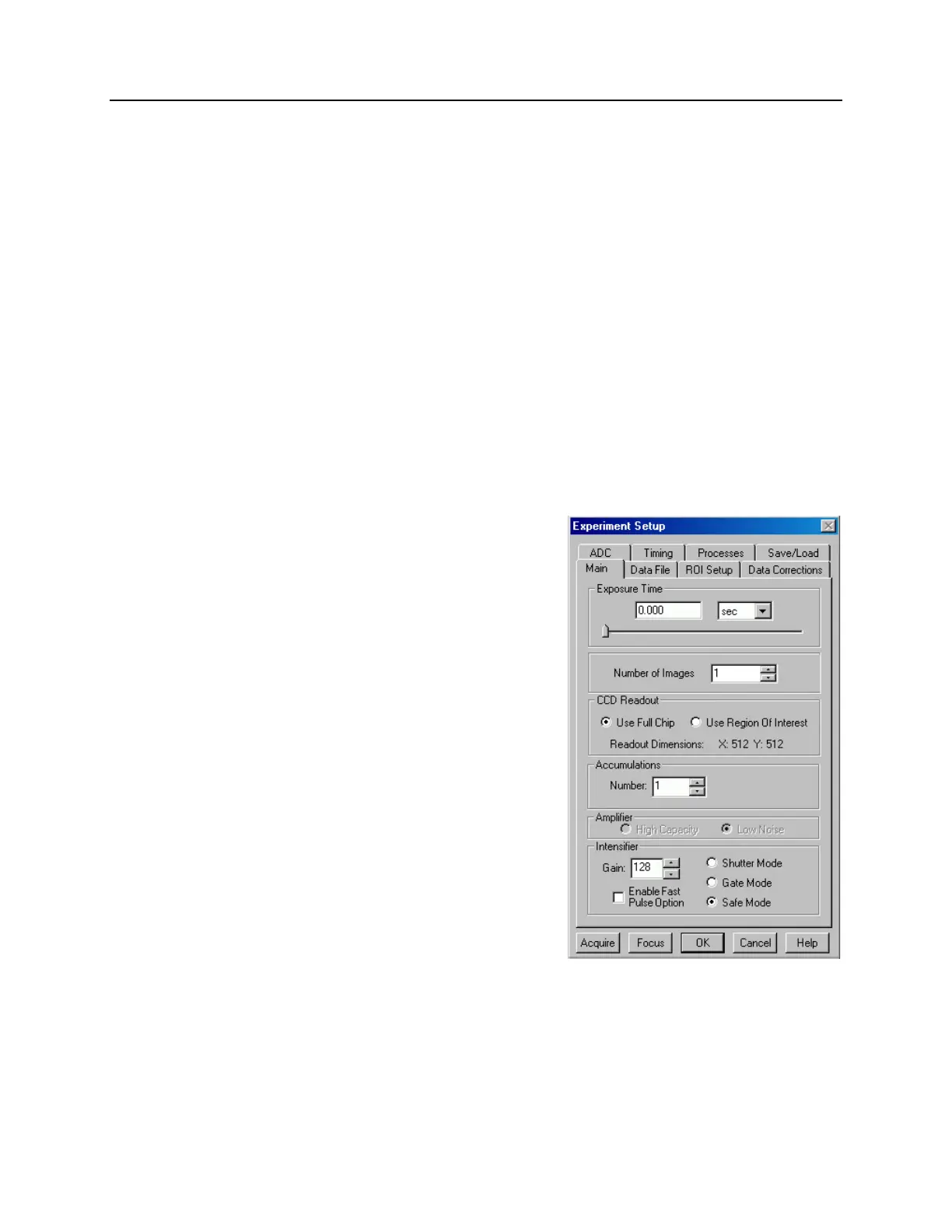
Experiment Setup|Main
Typically, the first experiment setup
parameters are selected/entered on the
Experiment Setup|Main tab. These
parameters determine such things as how long
the signal of interest will be allowed to
integrate on the CCD, the number of separate
frames (denoted as images or spectra) that will
be acquired, how much of the CCD will be
used to acquired data, the intensifier gain, and
the intensifier mode. The Main parameters are
described briefly below.
Exposure Time
Exposure time is the "time space" from which
charge accumulating on the CCD will be
summed into the reported data. When the
system is being run in Shutter Mode and Free
Run or External Sync mode, the exposure time
is determined by the user-set value in the
experiment setup. When Shutter Mode and
Internal Sync are active, the exposure time is
set to zero (0). When Gate Mode is active, the
intensifier controls what the CCD sees during
the exposure time.
Figure 23. Experiment Setup|Main tab
An exposure can be zero and still have valid data, provided the CCD is not clearing off
charge acquired before the integration time: this is the condition of External Sync with
no cleans, and the integration time is 'unofficially' started at either the Start Acquisition
command or from the last readout. This is contrary to External Sync Continuous
Cleans in which accumulated charge is removed prior to the integration time.



 To Next Page