132 PI-MAX/PI-MAX2 System Manual Version 5.F
Setup
Hardware
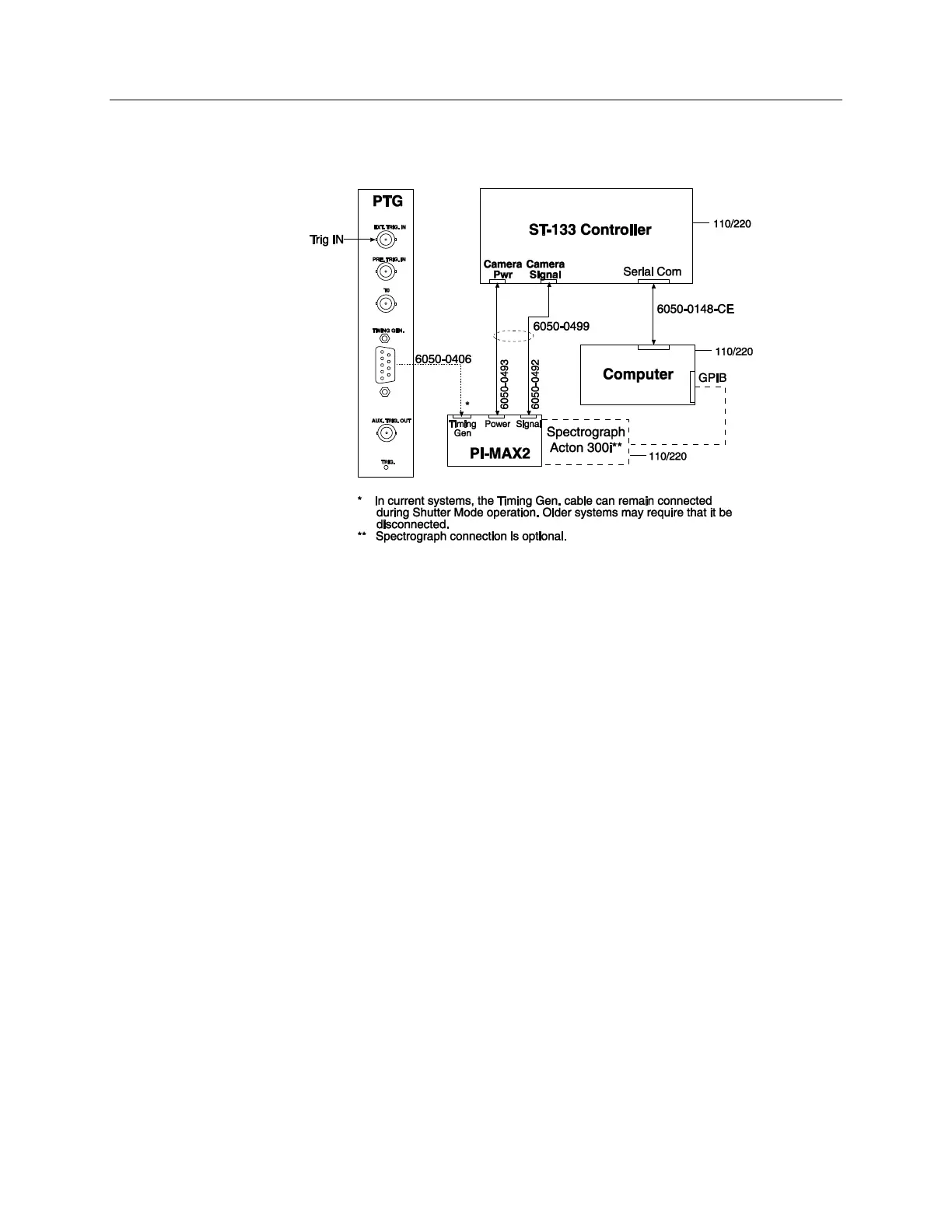
Figure 83. System Diagram: DIF Operation
Software
For the purposes of this setup, it is assumed that you are using WinX application software
(either WinView/32 or WinSpec/32) to control the system.
Operation
The operation of the PI-MAX2 in DIF mode is similar to the standard operation of a
PI-MAX2 with PTG. There are only a few differences due to the special timing modes of
DIF, and they will be outlined here. Because there are two timing modes in DIF
operation, there are two procedures for setting up the experiment.
Single Trigger Mode
1. The first requirement is that the PI-MAX2 camera be aligned and focused on the
area of interest in the experiment. This is best accomplished while the PI-MAX2
is operating in Interline mode (i.e., before switching to DIF mode). The
procedure for initial focus is outlined in Chapter 4: First Light.
2. After the alignment and focus, the PI-MAX2 system needs to be put into DIF
mode. Select Hardware from the Setup menu to open the Hardware dialog.
Under Readout Mode, select DIF and then click OK.
3. The PI-MAX2 must be set to Gate mode for the intensifier to operate properly.
Either click on the Gate mode button on the Custom Toolbar or select Gate
mode on the Acquisition|Experiment Setup…|Main tab.
4. Now the PTG needs to be programmed to match the experiment. On the Setup
menu, select Pulser and click on Pulser Setup (or click the Pulser Setup
button in the Custom Toolbar).



 To Next Page