193
Appendix C
Software
Introduction
The PI-MAX camera requires software control and can be operated with either of two
Princeton Instruments WinX application programs, WinView/32 or WinSpec/32. Some
camera parameters are controlled via the Controller. Others are controlled via the DG535
Timing Delay Generator, which is required for gated operation of the camera. The
software manuals discuss control of the PI-MAX, PTG and DG535 in detail.
Nevertheless, the following paragraphs, which delineate the applicable software screens,
may prove helpful as a convenient reference.
Camera State
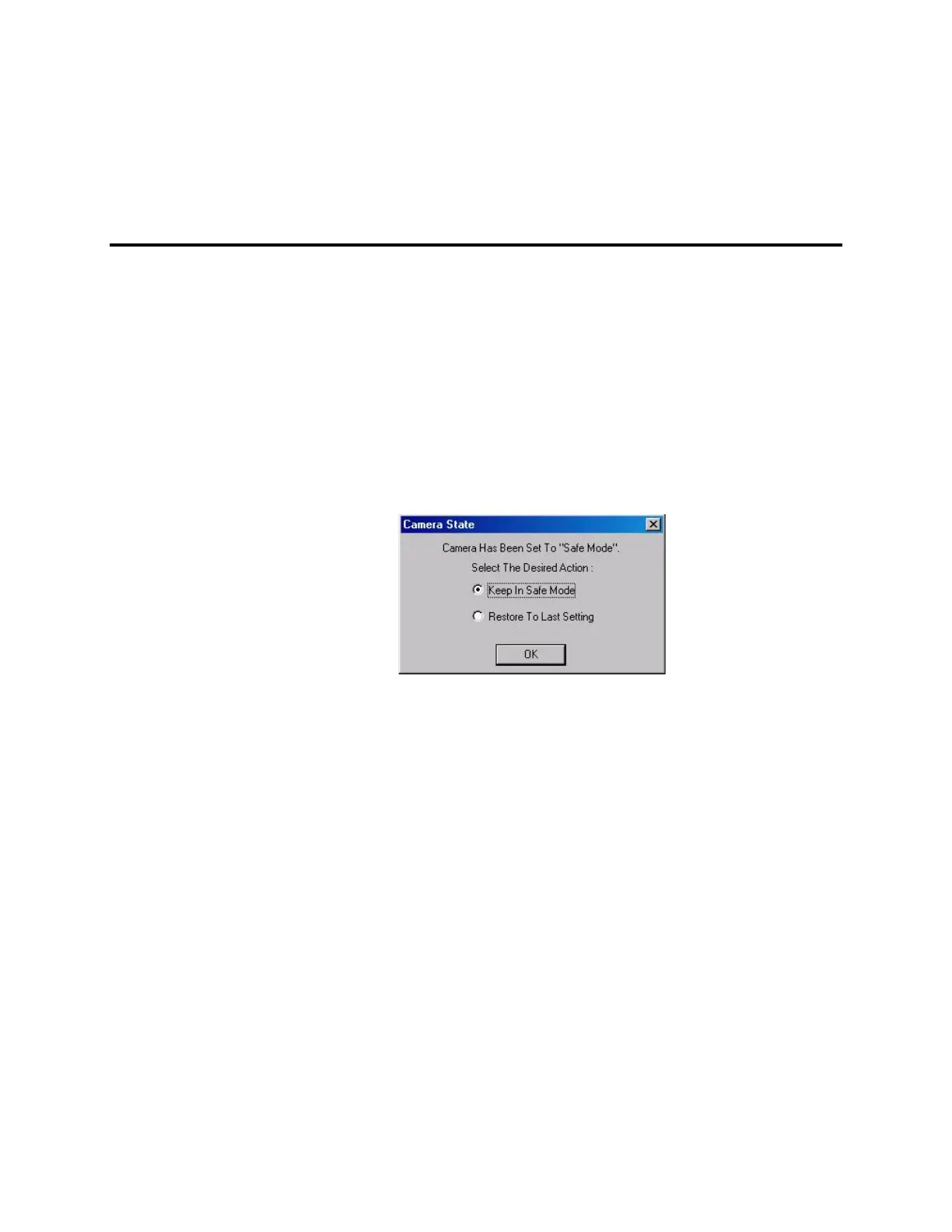
Figure 114. Camera State dialog box
In a system having the PI-MAX camera, this dialog box appears when the software is
booted. It displays the camera's current start-up state and allows you to restore the
previous setting.
Keep in Safe Mode: This is the default. Whenever the software is booted, the Safe
mode is established, biasing the PI-MAX intensifier’s photocathode off. The
intensifier gain and exposure time in effect when the software was last shut down
are retained.
Restore to Last Setting: Making this selection followed by clicking on OK will put
the camera in the gate mode in effect when the software was last shut down.
Thus, clicking on the Restore to Last Setting radio button could put the
camera in Safe Mode, Shutter Mode or Gate Mode, whichever was the
active state at the time of shutdown. In addition, the intensifier gain in effect
when the software was shut down is also restored, as is the exposure time.
Once the selection has been made, the user can easily change the gate mode via the
Experiment Setup Main page. In systems having the PI-MAX camera, the Experiment Setup
Main page allows the user to directly select Safe mode, Shutter Mode or Gate Mode.



 To Next Page