Chapter 5 General Operation Factors 69
Experiment Setup|Timing
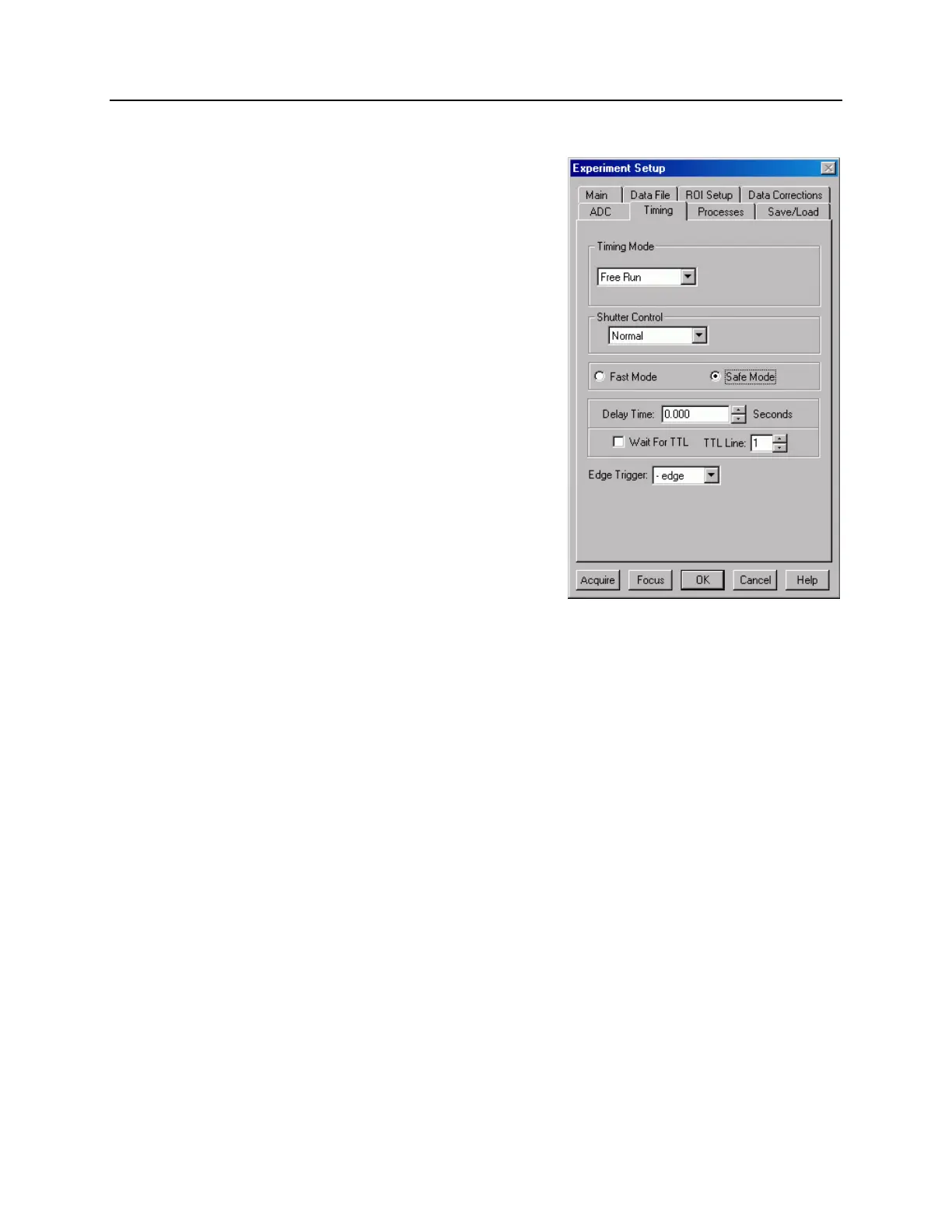
Experiment setup requires the selection of a
variety of experiment timing parameters. The
parameters described in this section are those
that appear on the Experiment Setup|Timing
tab (Figure 24). With the exception of Fast
Mode/Safe Mode, which is described in full,
the following paragraphs briefly describe these
timing parameters. The settings appropriate to
the intensifier mode and selected pulser are
discussed in Chapter 6 "Shutter Mode
Operation", Chapter 7 "Gated Operation with a
PTG", and Chapter 8 "Gated Operation with a
DG535".
Timing Mode
The timing mode parameter refers to the
ST-133's synchronization of data acquisition
with an external TTL signal applied to the Ext
Sync connector on the back of the ST-133 or
an internal trigger generated by a PTG. The
modes available depend on the selected
intensifier mode (Shutter, or Gate) and the
selected pulser (None, PTG, or DG535).
Figure 24. Experiment Setup|Timing
dialog box
Shutter Control
Since the ST-133 is gating the photocathode on and off as if it were a mechanical shutter,
you may have the choice of Normal, Disabled Closed, or Disabled Open "shutter"
settings. Normal is available for the Free Run and External Sync timing modes.
Disabled Closed simply means that the photocathode will not be gated during the
experiment and is useful for acquiring background frames. Disabled Open is required for
the PTG Internal Sync control. Additionally, the PreOpen checkbox is only available for
the External Sync modes and for Internal Sync for PTG: PreOpen biases the
photocathode on before data acquisition is started.
Fast Mode or Safe Mode
The Fast Mode or Safe Mode selection determines whether the ST-133 will run the
experiment according to the experiment timing, with no interruptions from the computer,
or the computer will interrupt the acquisition flow to process each frame as it is received.
Figure 25 compares the two modes.
Fast Mode operation is primarily for collecting “real-time” sequences of experimental
data, where timing is critical and events cannot be missed. Once the ST-133 is sent the
Start Acquisition command by the computer, all frames are collected without further
intervention from the computer. The advantage of this timing mode is that timing is
controlled completely through hardware. A drawback to this mode is that the computer
will only display frames when it is not performing other tasks. Image display has a lower
priority, so the image on the screen may lag several images behind. A video monitor
connected to the VIDEO output will always display the current image. A second



 To Next Page