Chapter 15 Troubleshooting 181
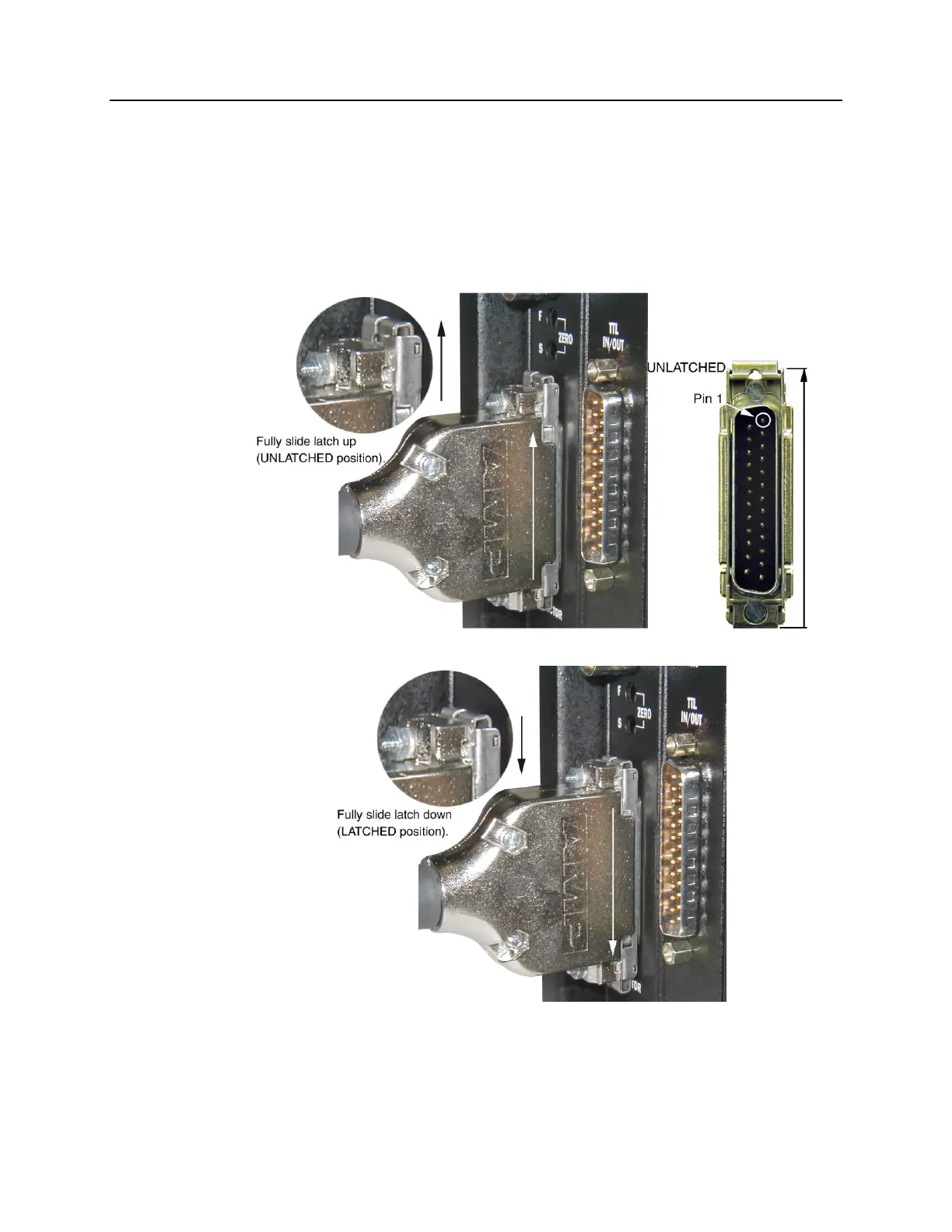
Securing the Detector-Controller Cable Slide Latch
Some Princeton Instruments Detector-Controller cables use a slide latch to secure the
Detector-Controller cable to the DETECTOR connector on the back of the ST-133.
Incorrectly plugging this cable into the connector and improperly securing the slide latch
may prevent communication with the PI-MAX (the camera may appear to stop working).
1. Before trying to plug in the cable, slide the latch up (toward Pin 1). Then, plug the
cable into the DETECTOR connector on the ST-133.
2. Slide the latch down. You may hear a click when the latch locks.
3. Verify that the connector is fully secured.
If you are having trouble sliding the latch, slightly pull the connector out and then slide
the latch into its locked position.



 To Next Page