Appendix C Software 195
Shutter Mode: Selecting this radio button biases the PI-MAX photocathode
continuously on during the exposure time and off during readout. This mode
works with exposure times as short as 5 ms.
Gate Mode: Selecting this radio button puts PI-MAX in Gate mode, in which
the photo-cathode is biased on by pulses generated in the DG535.
Safe Mode: Selecting this radio button puts PI-MAX in the Safe mode, in
which the photocathode is continuously biased off until either Shutter Mode or
Gate Mode is selected. Note that Safe mode is the turn-on default. In a system
having the PI-MAX camera, when the software is booted, a dialog box appears
that allows you to change the PI-MAX start-up gate mode.
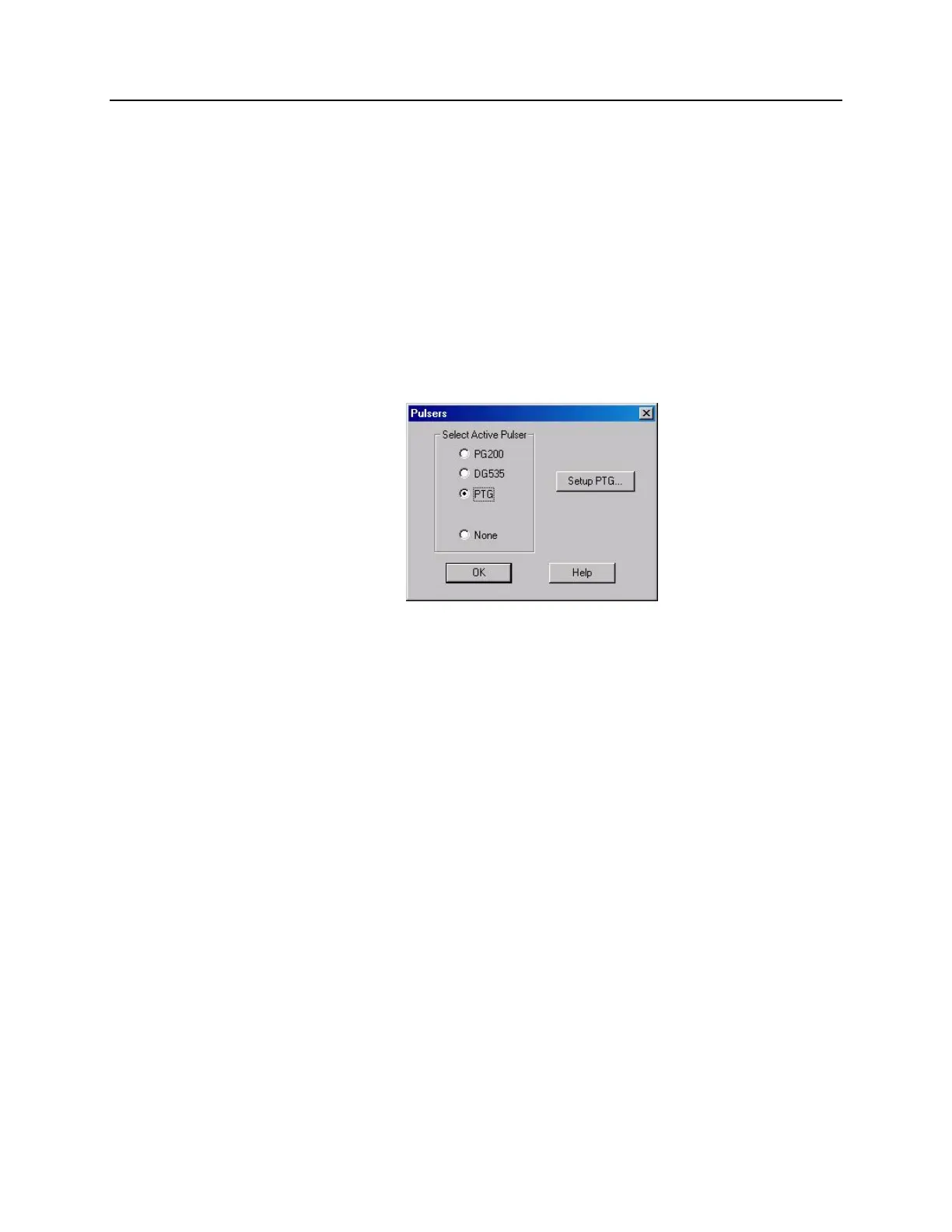
Pulsers dialog box
Figure 116. Pulsers dialog box
The Pulsers dialog box, which opens when Pulsers is selected on the Setup menu,
allows the user to choose whether the software is configured to run a PG200 Pulser, a
PTG module, a DG535 Timing Delay Generator, or no pulser. To the right of the pulser-
selection buttons is the Setup button that gives access to the pulser setup screens. Select
PTG or DG535 for operation with the PI-MAX (PG-200 is not compatible with the
PI-MAX).



 To Next Page