168 PI-MAX/PI-MAX2 System Manual Version 5.F
Changing the ST-133 Line Voltage and Fuses
The appropriate voltage setting for your country is set at the factory and can be seen on
the back of the power module. If your voltage source changes, you will need to change
the voltage setting and you may need to change the fuse configuration.
Use proper fuse values and types for the controller and detector to be properly protected.
To Change Voltage and Fuse Configuration:
Before opening the power module, turn the Controller OFF and unplug the powercord.
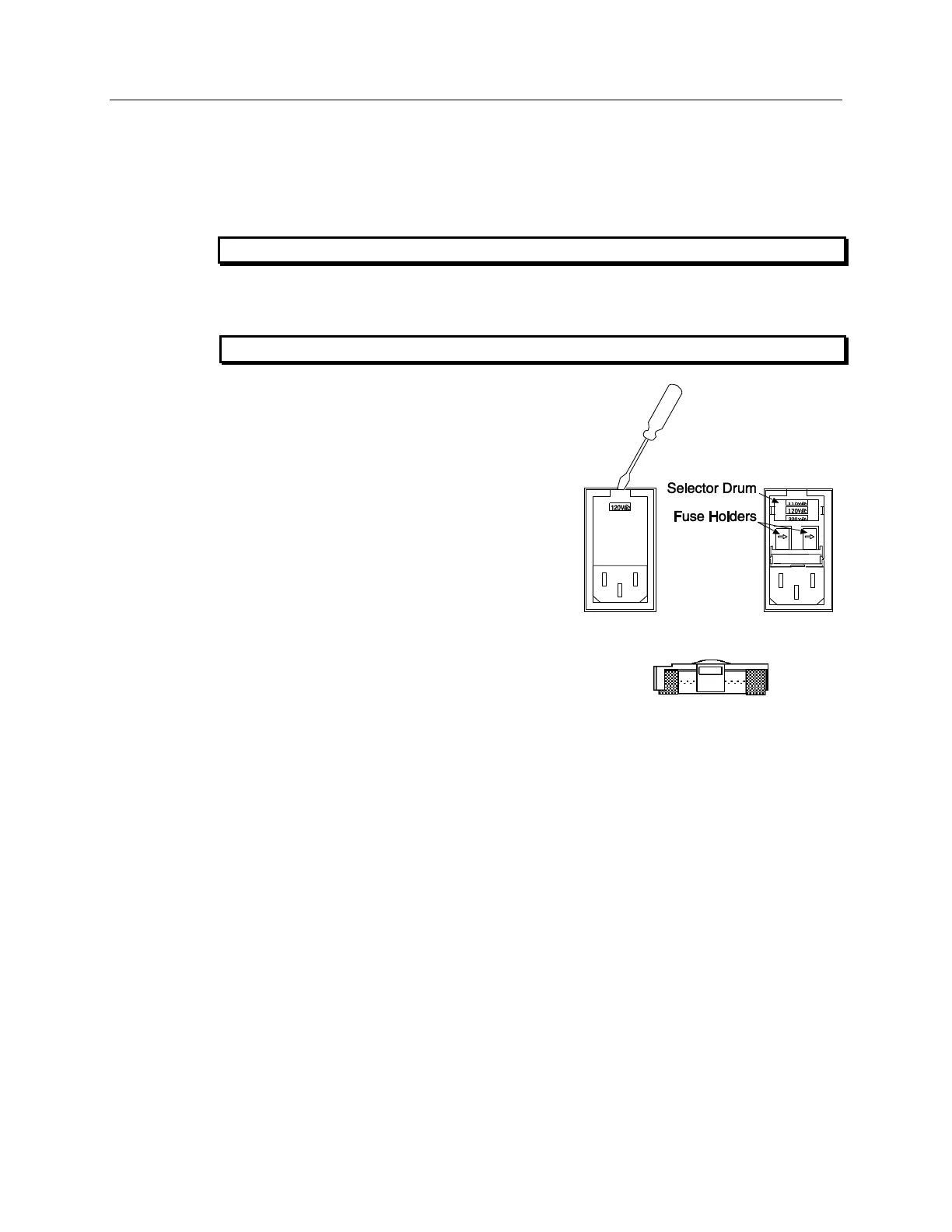
1. As shown in Figure 94, place the flat side of
a flat bladed screwdriver parallel to the back
of the Controller and behind the small tab at
the top of the power module, and twist the
screwdriver slowly but firmly to pop the
module open.
Figure 94. Power Input Module
Figure 95. Fuse Holder
2. To change the voltage setting, roll the
selector drum until the setting that is closest
to the actual line voltage is facing outwards.
3. Confirm the fuse ratings by removing the two
white fuse holders. To do so, simply insert the
flat blade of the screwdriver behind the front
tab of each fuse holder and gently pry the
assembly out.
4. Refer to the Fuse/Voltage label (above or
below the Power Module) to see which fuses
are required by the selected voltage. If the
Controller power switch is on the back of the ST-133, the Fuse/Voltage label is located
below the Power Module.
5. After inspecting and if necessary, changing the fuses to those required by the selected
voltage, reinstall the holders with the arrow facing to the right.
6. Close the power module and verify that the correct voltage setting is displayed.
7. Verify that the Controller power switch is in the OFF position and then plug the
powercord back into the power module.



 To Next Page