Fax Unit B404
FAX UNIT
SM 1-5 B404
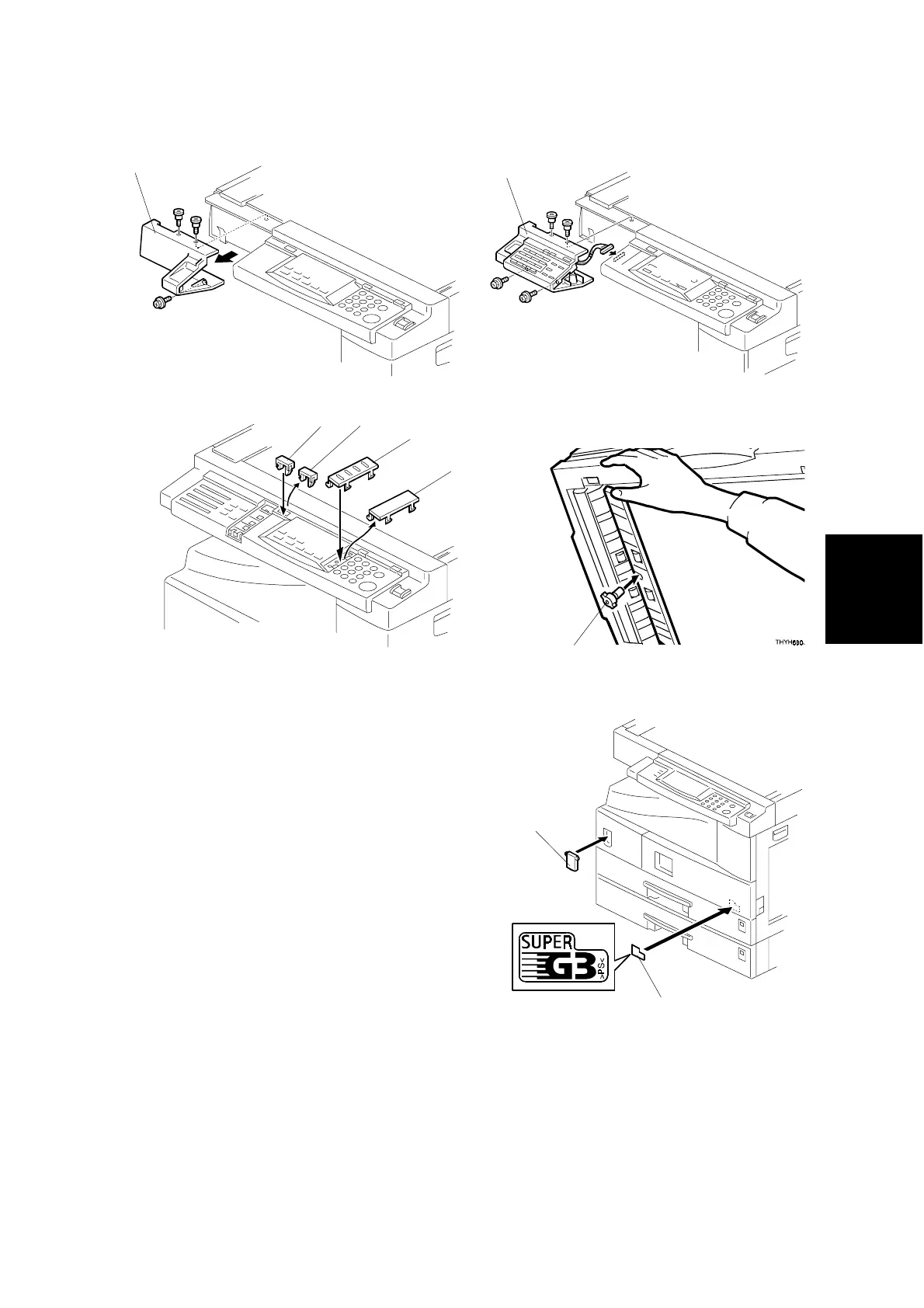
11. Remove the operation panel cover [A] (3
screws).
12. Install the fax operation panel [B] (4
screws).
13. Remove the small covers [C], then
attach the copy key [D] and function
keys [E] as shown.
14. If the ADF/ARDF has been installed,
install the stamp cartridge [F] as shown.
15. Attach the super G3 decal [G] and cover
[H] to the front cover as shown.
16. Connect the telephone line to the “LINE”
jack at the rear of the machine.
B405I105.WMF
B405I101.WMF
B405I102.WMF
A895I552.WMF
B404I109.WMF
[A]
[B]
[C]
[D]
[E]
[C]
[F]
[G]
[H]



 To Next Page