SERVICE LEVEL FUNCTIONS
B404 5-4 SM
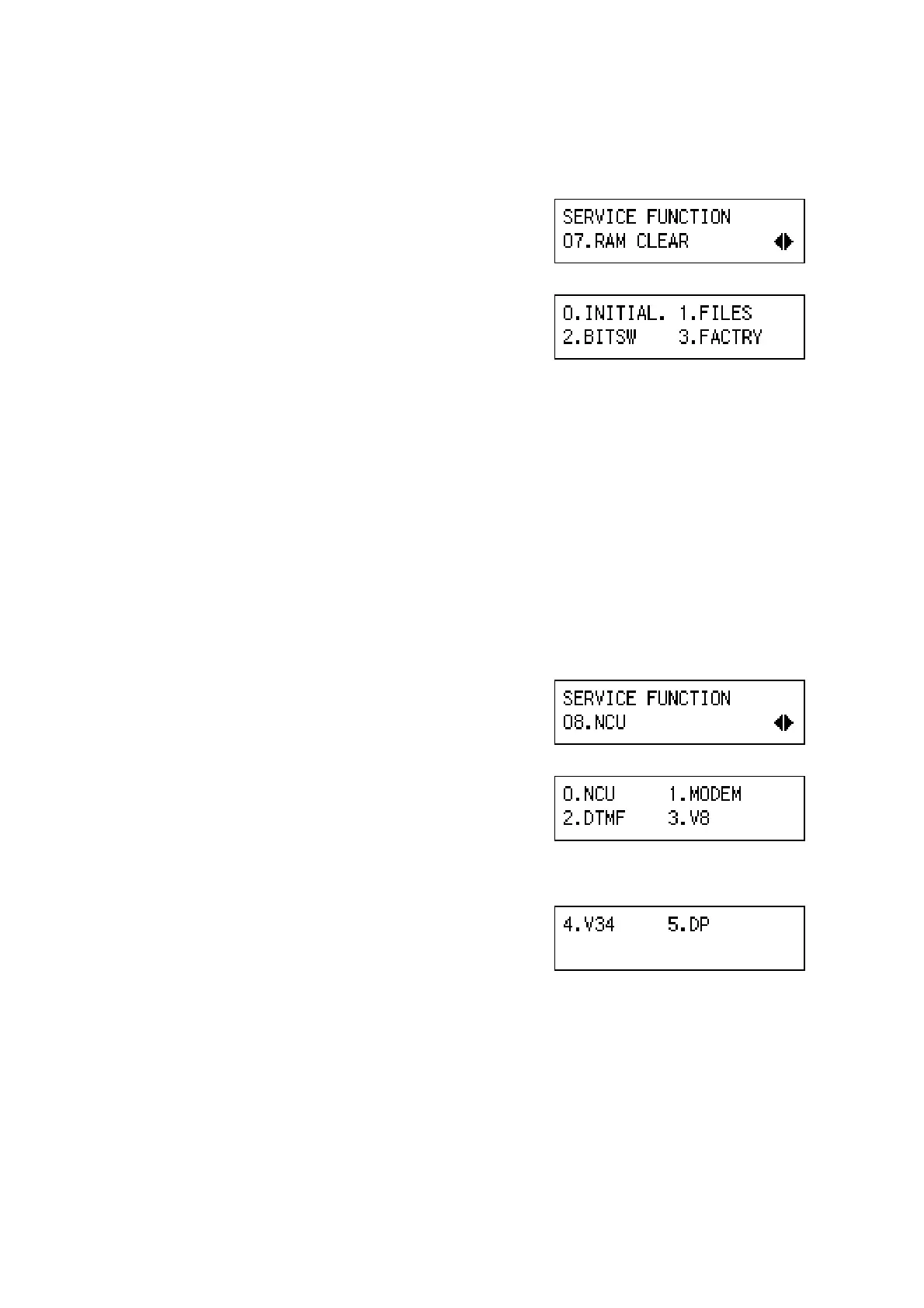
(7) 07. RAM CLEAR
1. Enter the fax service mode.
2. Press ' ,.
3. Press ‘OK’.
4. Select 0, 1, 2, or 3. Then press -.
0.–INITIAL:
Initializes the data in the SRAM, files in the
SAF memory and the clock.
1.–FILES:
Erase all files stored in the SAF memory.
2.–BITSW:
Reset the bit switches and user parameters.
3.–FACTRY:
Initialize the data in the SRAM and files in the SAF memory.
(8) 08. NCU
1. Enter the fax service mode.
2. Press ' 0.
3. Press ‘OK’.
4. Select an item from the menu, then press -.
0.–NCU:
NCU parameters
1.–MODEM:
MODEM test
2.–DTMF:
DTMF test
3.–V8:
V8 test
4.–V34:
V34 test
5.–DP:
Dial pulse test
B404M521.BMP
B404M522.BMP
B404M527.BMP
B404M528.BMP
B404M533.BMP



 To Next Page