DISOMAT Overview Control Elements
Control Block Key Functions
[SHIFT] + [OK]:
Home Position: n/a
Menu Tree: a) No function started: 'Password Quick Input' (See
BV-H2313)
b) Function started: Insert a blank in cursor position
in an input field; any text right of cursor is shifted to
the right ('Insert').
Normally you are in Overwrite mode; the
PC typical Insert mode is not provided
for.
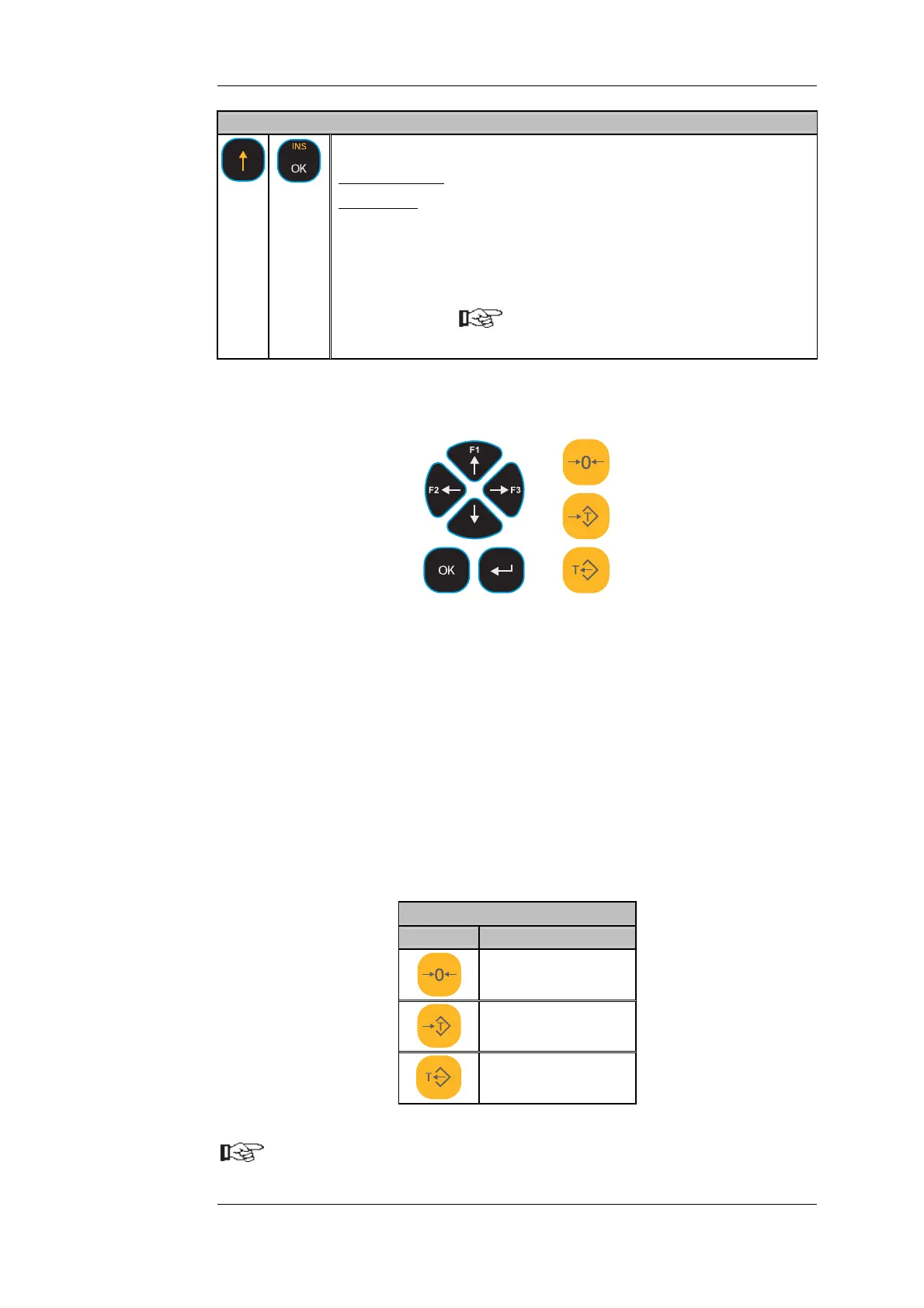
B) 'DISOMAT Opus mini'
The 'DISOMAT Opus mini' design has reduced keyboard:
Input block: n/a
Control block: Direction keys
3 Function keys
[OK] key
[ENTER] key
Operating block: like DISOMAT Opus
Characters are keyed in differently since the alphanumeric keys have been eliminated:
1. Select the input point via the [LEFT arrow] or [RIGHT arrow] keys.
2. Scroll characters via the [UP arrow] or [DOWN arrow] keys.
Numerical spaces only feature numbers (otherwise numbers and letters).
C) The buttons for operating the scale are identical with both designs.
Operating Block Key Functions
Key Function
[ZERO SCALE]
[ACQUIRE TARE]
[CLEAR TARE]
The functionality of single keys or key combi
items of manual BV-H2313.
nations is detailed at relevant
DISOMAT
®
Opus – Operating Manual 0630 BV-H2313 GB
© Schenck Process GmbH, Darmstadt - 15 -


 To Next Page
 Loading...
