10.35
Date Code 20090730 Instruction Manual SEL-734 Meter
Communications
SEL-734 Meter Command Summary
1 STA Display self test status
1 TAR Display Meter Word bits
1 TIM Show time
1 TRI Trigger an event
E DAT Set date
E IRI Force synchronize to IRIG
E LDP C Reset first load profile recorder
E LDP2 C–
LDP12 C
Reset second through twelfth load profile recorder
E MET CF R Clear crest factor metering
E MET M R Clear max/min metering
E MET P R Clear peak demand metering
E QUI Quit to Access Level 0
E TIM Set time
2 CON Control remote bits
2 DNP Set DNP map
2 FIL WRITE Write setting files to the meter
2 HIS C Clear event and history records
2 L_D Load new firmware
2 LOO Initiate/clear M
IRRORED BITS loopback
2 MET D R Clear demand metering
2 MET E R Reset energy metering
2 PAS Set/show passwords
2 PUL Pulse output contact
2 QUI Quit to Access Level 0
2 R_S Restore factory settings
2 SET Change settings
2 SET L SEL
OGIC control equations
2 SET E Preset Energy values
2 SET G Phase rotation, date format, Watt/VAR angle cutoff, synchrophasor, ASCII report scaling, and input
debounce timers.
2 SET R Events Recorder trigger conditions, Load Profile settings, and Fast Message settings.
2 SET F Front-panel default display settings.
2 SET P n Serial port settings for Serial Port n (n = F, 1, 2, 3, or 4).
2 SSI C Clear VSSI
2 STA S View SEL
OGIC control equation operating errors
2 STA S C Clear SEL
OGIC control equation operating errors from the status report
2 TEST MODE Display Test Mode parameters
2 VER Display version and configuration information
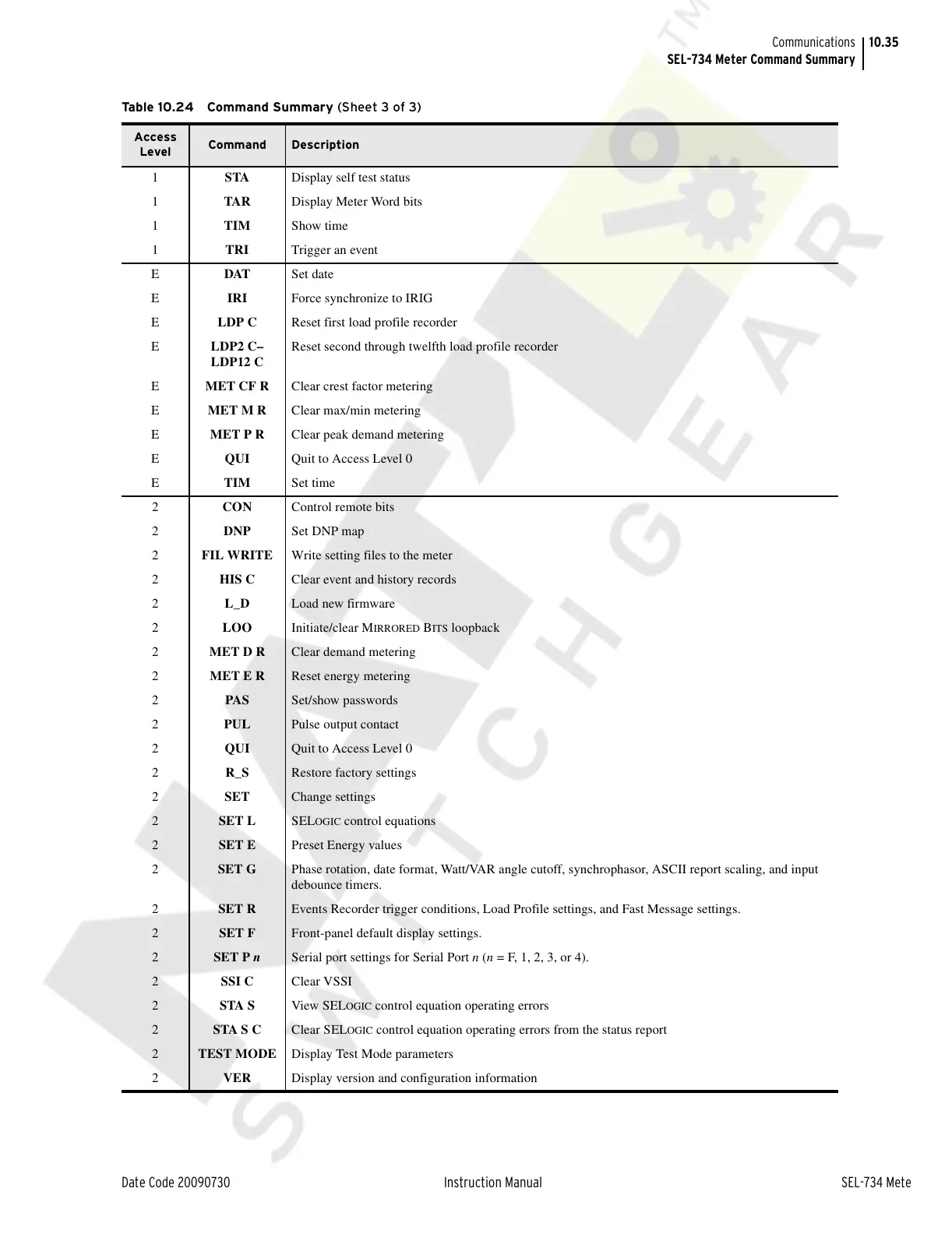
Table 10.24 Command Summary (Sheet 3 of 3)
Access
Level
Command Description
Courtesy of NationalSwitchgear.com



 To Next Page