60 53 362 D3472
92 D3472.201.10.20.02 07.2016
5Operation DAC UNIVERSAL ADVANCED Sirona Dental A/S
5.2Using the menu and display information DAC UNIVERSAL ADVANCED Operating Instructions DAC UNIVERSAL
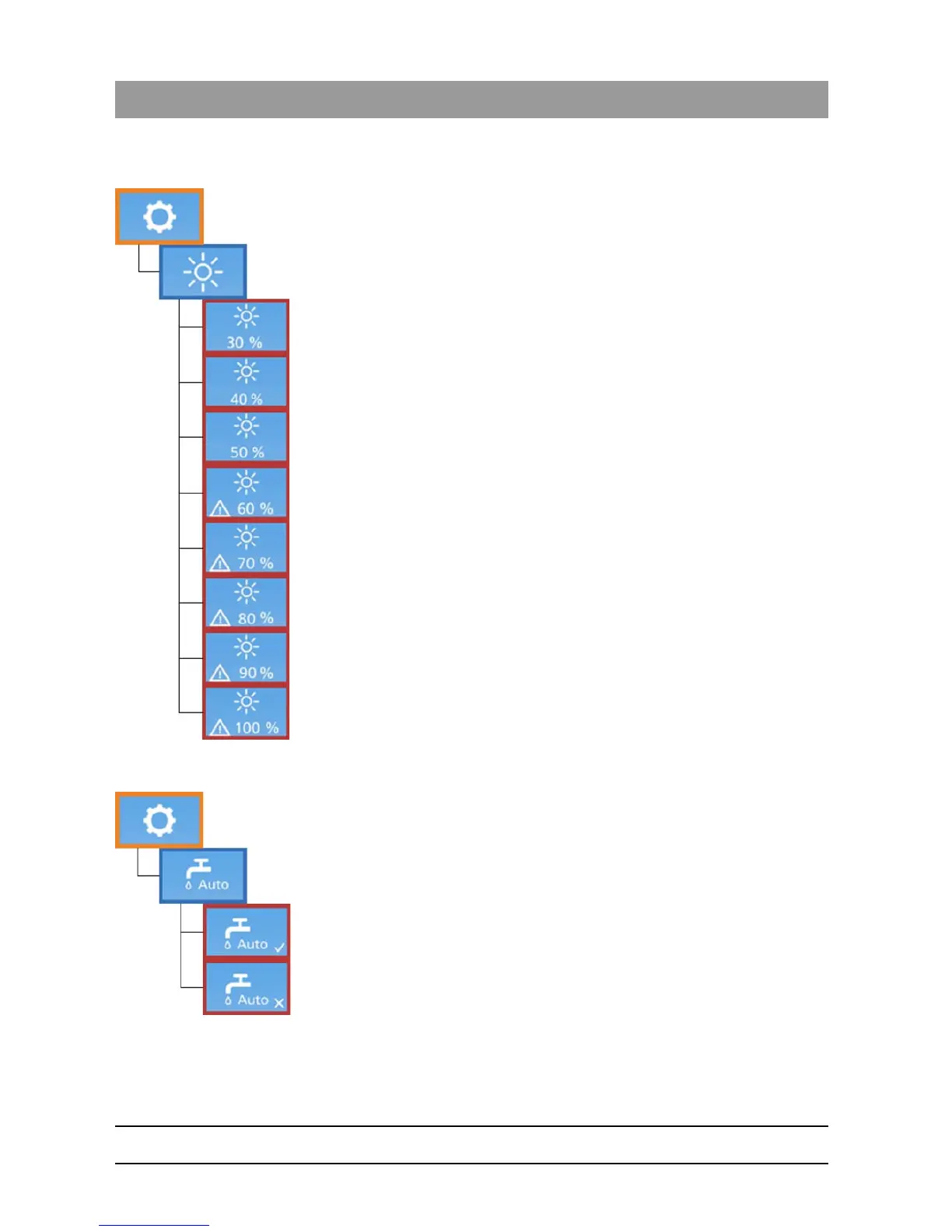
5.2.2.3.3.9 Display brightness
This section allows the display brightness to be changed.
The brightness is adjustable in 10% steps, from 30 – 100%.
Brightness settings from 60% and above are marked with a warning
symbol on the display. This warning indicates that these brightness
settings are not recommended, since using high brightness settings
results in accelerated aging of the display, resulting in this turning darker
over time.
When the display ages it will darken and the brightness settings can then
be adjusted to 60% or more to compensate.
If the display is no longer readable even when the brightness settings are
adjusted to 100%, please contact your authorized dealer.
To adjust the display’s brightness:
1. Choose the appropriate brightness, using the “Left/Right”-Keys
accordingly.
2. Press the “Down”-Key to confirm the selection.
5.2.2.3.3.10 Automatic water
This setting enables the DAC UNIVERSAL to automatically fill the water
tank from an external water conditioning system, connected to the DAC
UNIVERSAL. If such a system is connected to the autoclave:
1. Set this setting to "ON", using the “Left/Right”-Keys.
2. Otherwise set it to OFF, hereby allowing for manual filling of the water
tank.
3. Press the “Down”-Key to confirm the selection.














 To Next Page