PHONE OPERATION (HANDS-FREE SYSTEM FOR CELLULAR PHONES)
131
PHONE
4
4. Select the desired message.
5. Select
Send
(Send).
Ɣ While the message is being sent, a sending message
screen is displayed.
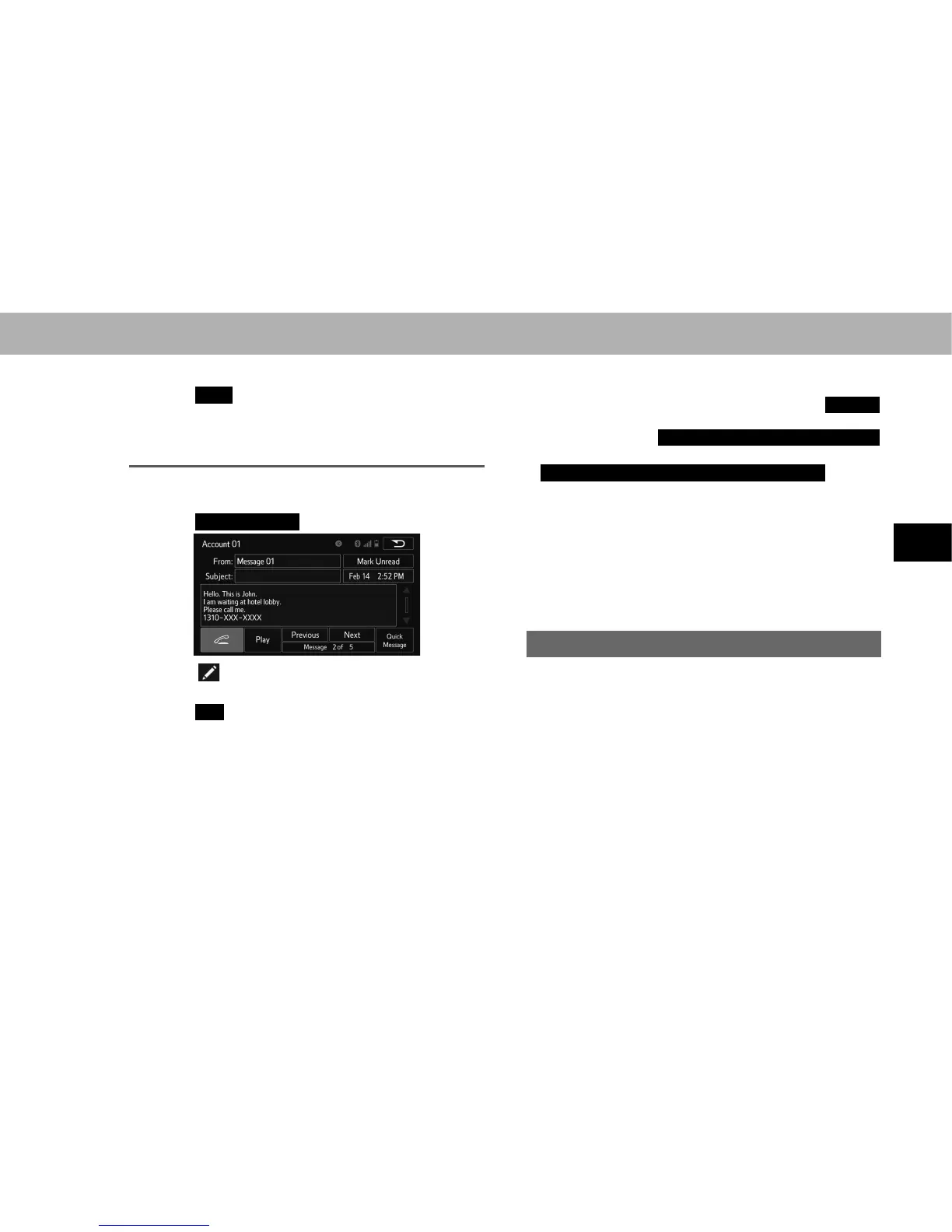
EDITING QUICK REPLY MESSAGES
This operation cannot be performed while driving.
1. Select
Quick Message
(Quick Message).
2. Select corresponding to the desired message to
edit.
3. Select
OK
(OK) when editing is completed.
NOTE
O To reset the editquick reply messages, select
Default
(Default).
O “Quick Message 1” (
I'm driving right now. I will call you back later.
(I'm driving right now. I will call you back later.)*
1
or
I am driving and will arrive in approximately [ETA] minutes.
(I am
driving and will arrive in approximately [ETA] minutes.)*
2
)
cannot be edited. [ETA] will automatically be replaced with the
HVWLPDWHGWLPHRIDUULYDORQWKHFRQ¿UPPHVVDJHVFUHHQ
If there are waypoints set, [ETA] to the next waypoint will be
shown.
If there is no route currently set in the navigation system, “Quick
Message 1” cannot be selected.
*
1
: Without navigation function
*
2
: With navigation function
CALLING THE MESSAGE SENDER
Calls can be made to an e-mail/SMS/MMS message
sender’s phone number.
This operation can be performed while driving.















 To Next Page